 JA
JA

Mitsunobu
Mac · iPad · みつのぶ
Quotes, delivery notes and invoices, all in one
Quotes, deliveries, invoices.
Three documents,
one simple app.
Just choose a client and the address and tax are filled in automatically. Switch between the three document types and create them without hesitation. It also follows Japanese business customs, such as “Onchu”, company seals and invoice registration numbers.
For macOS 14 / iPadOS 17 and later. Your data stays on your device and is never sent anywhere.
FEATURES
Everything around your documents,
in one place.
From quotes to invoices, summaries and backups — everything is done in one app.
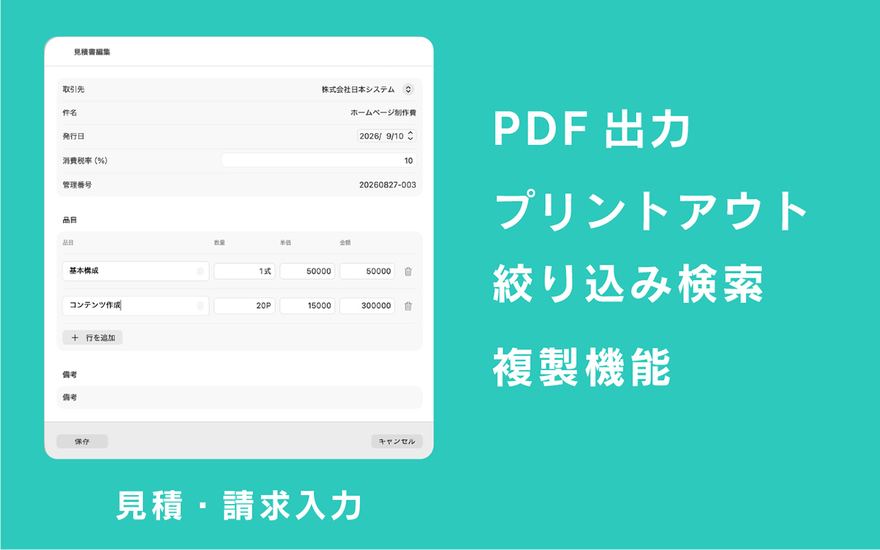
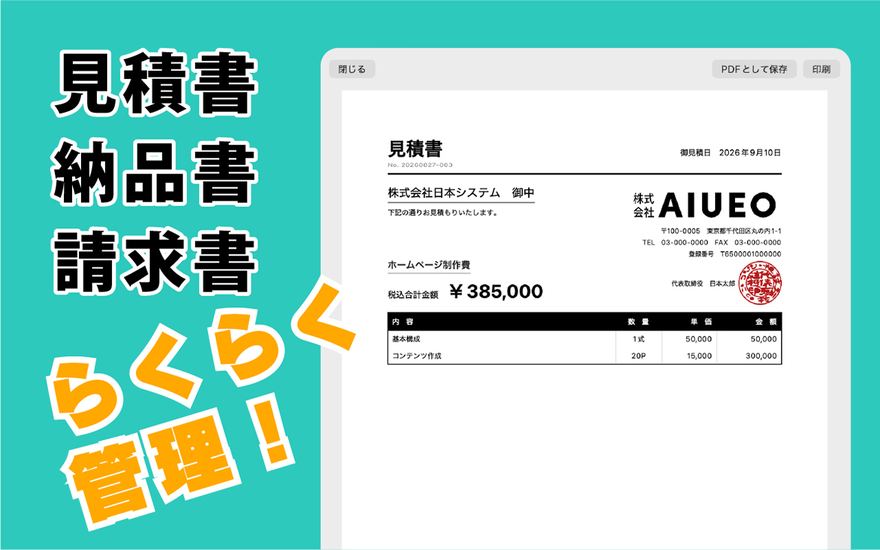
Quotes, delivery notes and invoices
Create all three document types on the same screen. Duplicate an existing document and export it as another type.
Client management
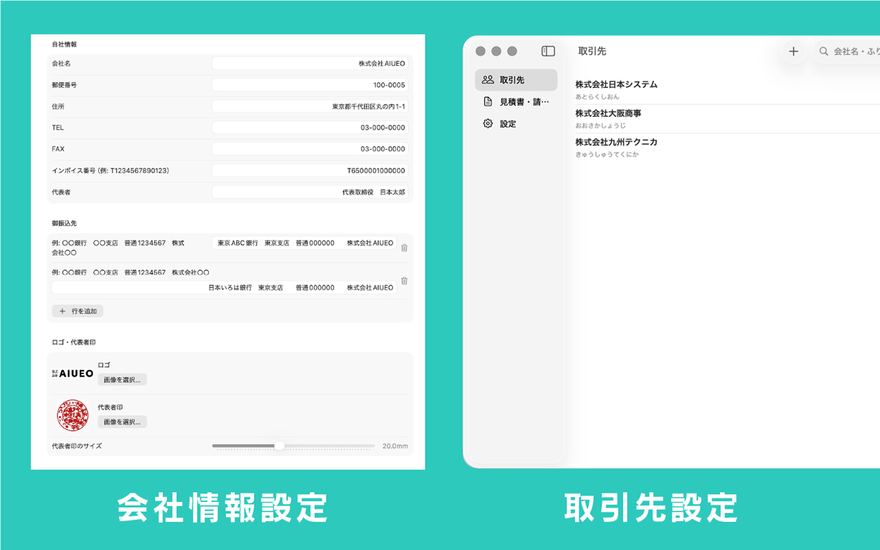
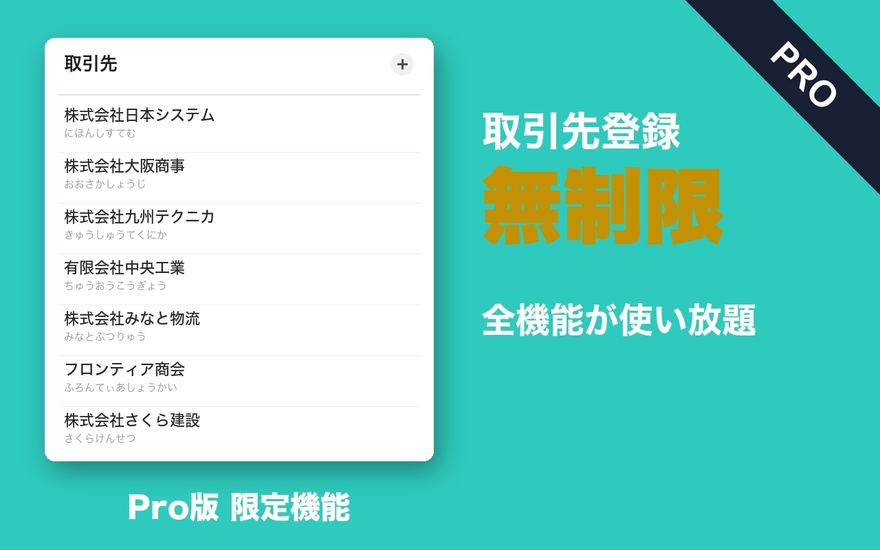
Register a client's name, address and contact details once, then just pick them from a list.
Automatic calculation
Subtotals, consumption tax and totals are calculated in real time from each item's quantity and unit price.
PDF export and printing
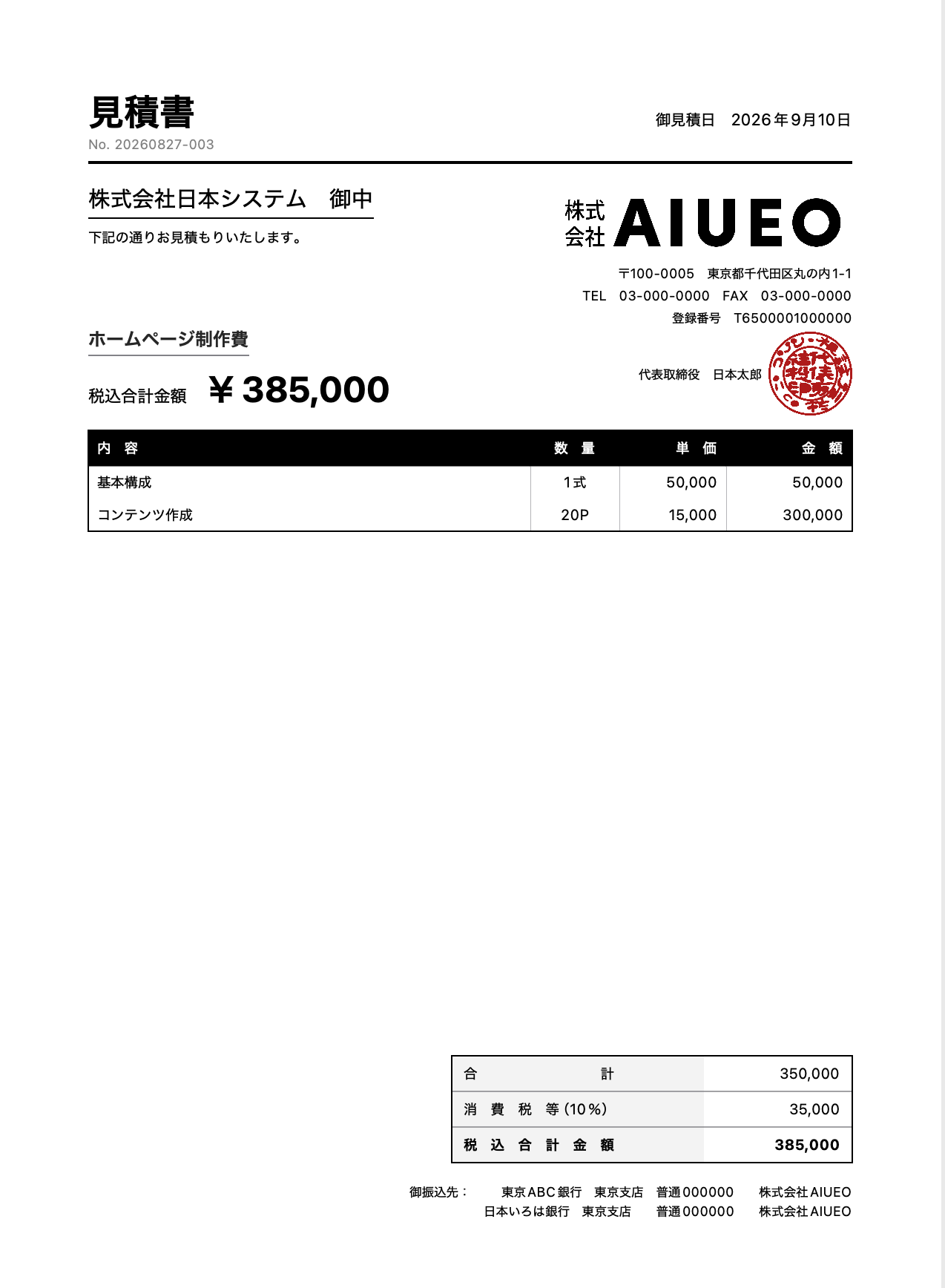
Save documents as PDFs or print them, ready to send to your clients.
Sales summaries
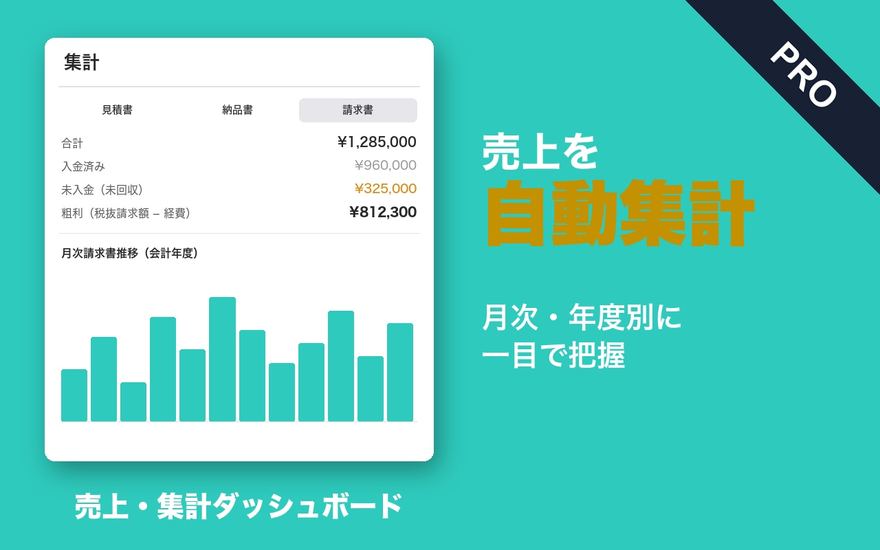
Automatic monthly and fiscal-year summaries. See paid and unpaid amounts, outsourcing costs and gross profit at a glance.
CSV export and backup
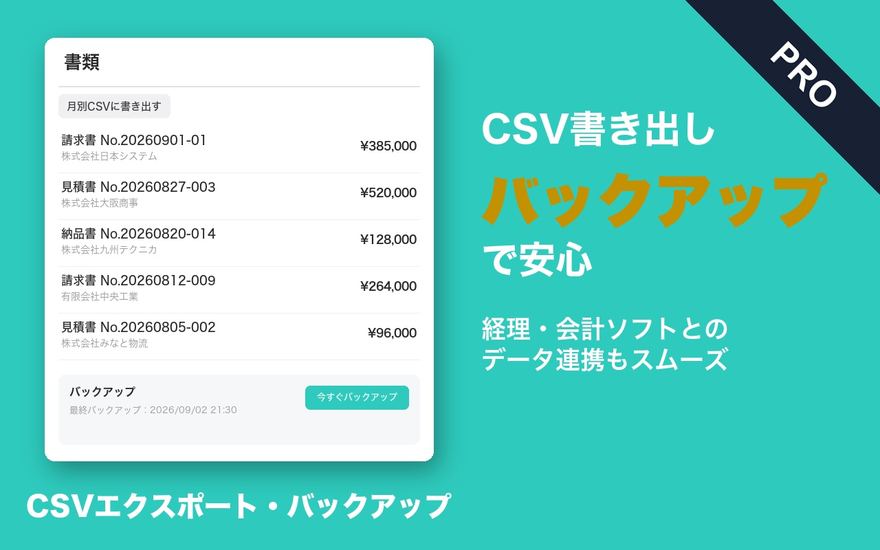
Export summaries as CSV for accounting software. In-app backups make moving your data easy.
JAPANESE BUSINESS PRACTICE
The “usual” details of documents,
never overlooked.
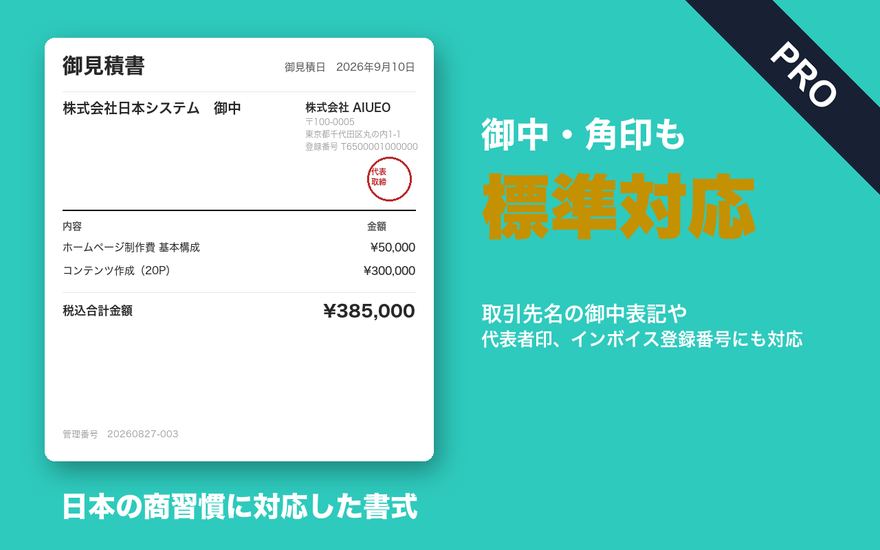
Qualified invoice registration numbers, “Onchu” and company seals. Japanese business customs that apps from overseas often miss are built in as standard.
Qualified invoice support
A registration number field is built in, so you can issue invoices that meet Japan's invoice system.
“Onchu” and company seals
Client names automatically get the “Onchu” honorific. Attach an image of your company seal for documents that look like the real thing.
SCREENS
Screens
From registering clients to summaries and backups. Screenshots show the Japanese interface.
Scroll sideways to see more
PLANS
Free and Pro
Start with the free version, and move to Pro when you need more clients. For Mac and iPad.

Mitsunobu
¥0Free
- Create quotes, delivery notes and invoices
- PDF export and printing
- Sales summaries, CSV export and backup
- Up to 3 clients

Mitsunobu Pro
¥3,000One-time purchase
- Unlimited clients
- Every feature of the free version, without limits
- Continued updates
MANUAL
User manual
From registering clients to creating documents, exporting PDFs and sales summaries. The basics are collected in a PDF (in Japanese).
PRIVACY
Privacy
Mitsunobu does not collect any information about you. Documents, clients, items and your company information (including logo and seal images) are all stored only on your Mac or iPad.
MORE APPS
More apps from palnet Lab.

Puku Rogu
Photograph and organize your sticker collection (iPhone)

Ato Ikura?
An allowance tracker that shows what's left at a glance (iPhone · Widget)

Sanpo RupuComing soon
Walking routes that bring you back home (iPhone · Apple Watch)

Wanko SanpoComing soon
Log dog walks, pee and poop (iPhone · Apple Watch)
CONTACT
Contact
app@palnetlab.com