 JA

Puku Rogu
iPhone · ぷくログ
Sticker collection app
Log your stickers,
the whole collection.
Just take a photo and sort by type and character. You can also note when, where and for how much you got each one, so nothing gets lost as your collection grows.
For iOS 17 and later. Your data stays on your device — no network access, ads or tracking.
FEATURES
Features
Snap, sort and record. Managing a sticker collection, made simple.
Add stickers with a photo
Just photograph a sticker. It is trimmed automatically and saved as a clean cut-out.
Sort by type and character
Use the built-in categories, or add any type or character you like.
Keep purchase details
Save the purchase date, shop, price and maker for each sticker.
Favorites
Star your favorite stickers so you can find them right away.
Search, filter and sort
Search by name, type, character or purchase date, and narrow down what you see.
Your data stays on your device
No network access, ads or tracking. Your records are yours alone.
COLLECTION
Your own way of sorting,
however big it gets.
Sort by sticker type, such as “Bonbon Drop” or “Uru Churu Pop”, or by your favorite characters. The bigger your collection, the more useful it becomes.
Add your own types and characters
If a type or character isn't in the default list, add it on the spot.
See when and where you got it
Record the purchase date, shop and price, and you'll remember them when you look back.
WIDGET
Today's sticker,
on your Home Screen.
Enjoy your collection without opening the app. A favorite or recently added sticker shows up each day.
Today's Sticker Small
One sticker a day, with its photo and name.
Today's Sticker Medium
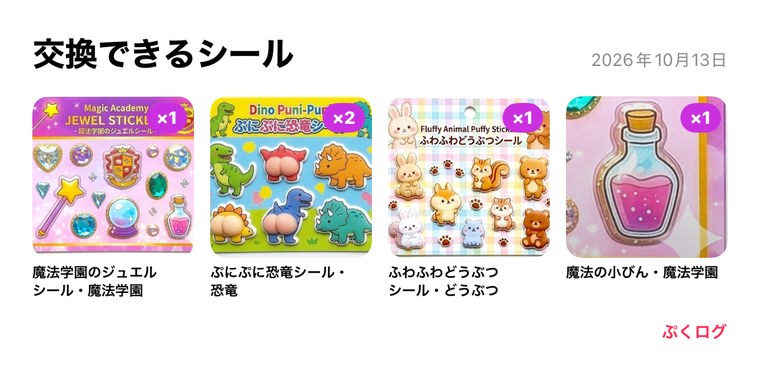
Today's sticker plus how many you own, how many are for trading and how many are on your wish list.
How to add the widget
- Touch and hold an empty spot on the Home ScreenKeep your finger down until the app icons start to jiggle.
- Tap Edit, then Add WidgetOn iOS 17 and earlier, tap the + button in the top-left corner.
- Choose Puku Rogu and pick a sizeSwipe to choose a size, then tap Add Widget. You can drag it anywhere you like.
Tap the widget to open Puku Rogu.
SCREENS
Screens
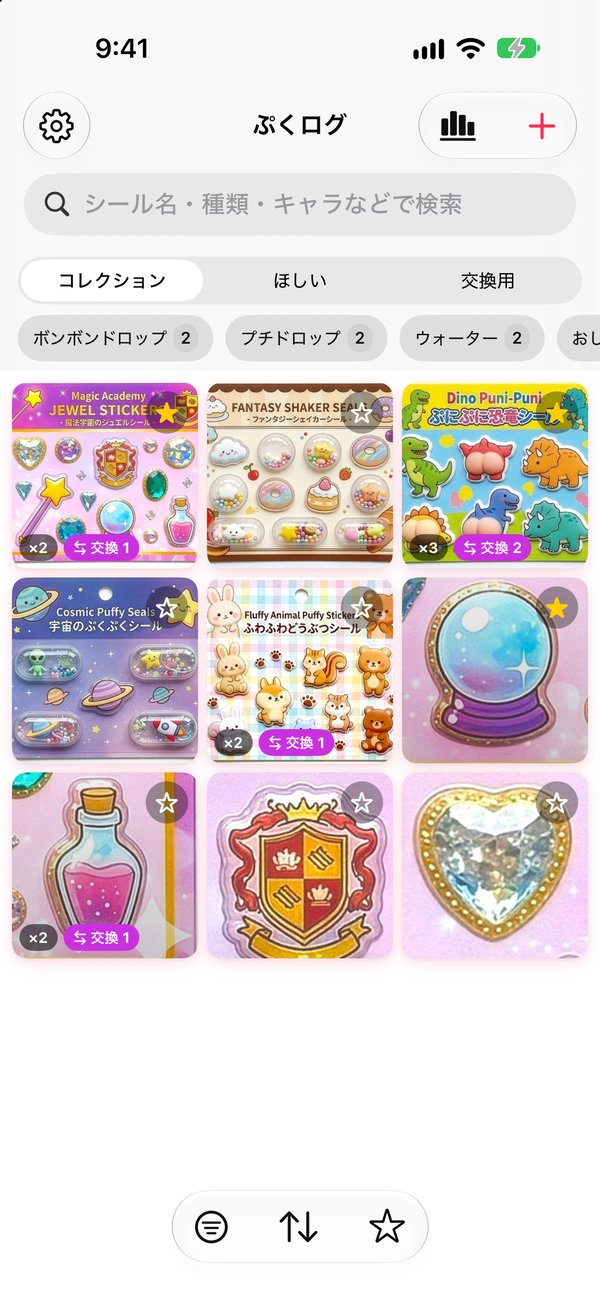
From your collection to each sticker's record, the trade and wish lists, and statistics. Screenshots show the Japanese interface of v1.4.


Scroll sideways to see more
NEW in v1.4
New in v1.4
Not just collecting — trade stickers and keep track of the ones you want. New features that make sticker collecting even more fun.
Wish list
Add stickers you don't have yet, with a photo. When you get one, tap “Got it!” to move it into your collection.
Quantity and trades
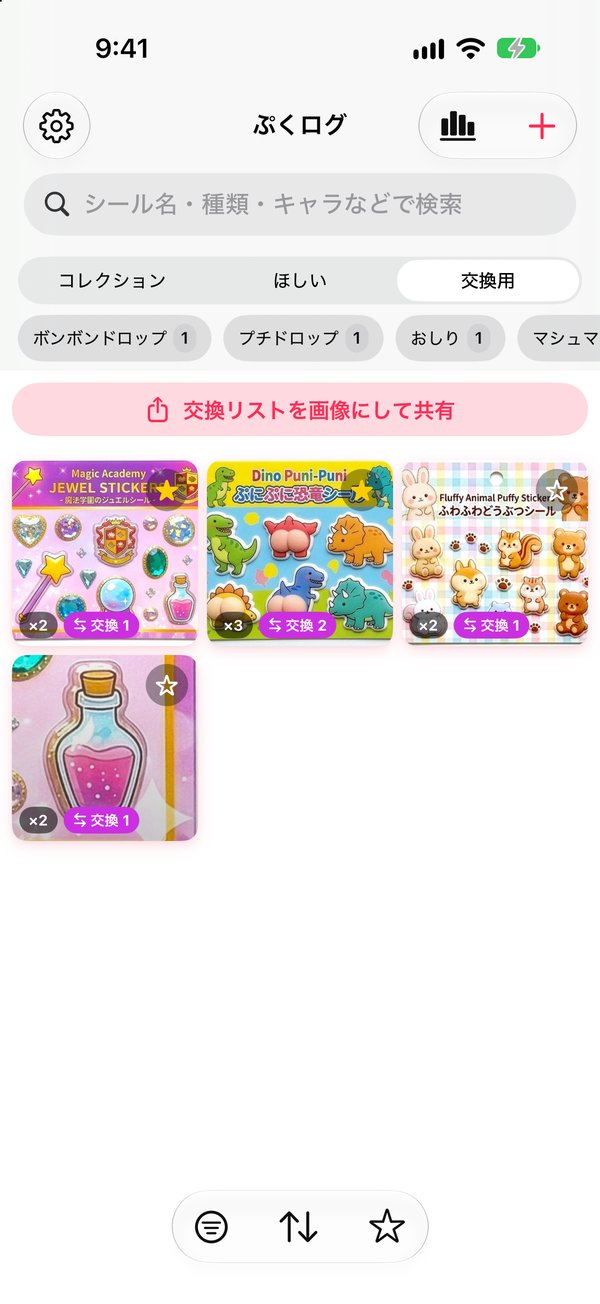
Record how many of each sticker you have and how many you can trade. See them all in the Trade list.
Share your trade list as an image
Put the stickers you can trade into a single image to show on social media or at sticker swaps.
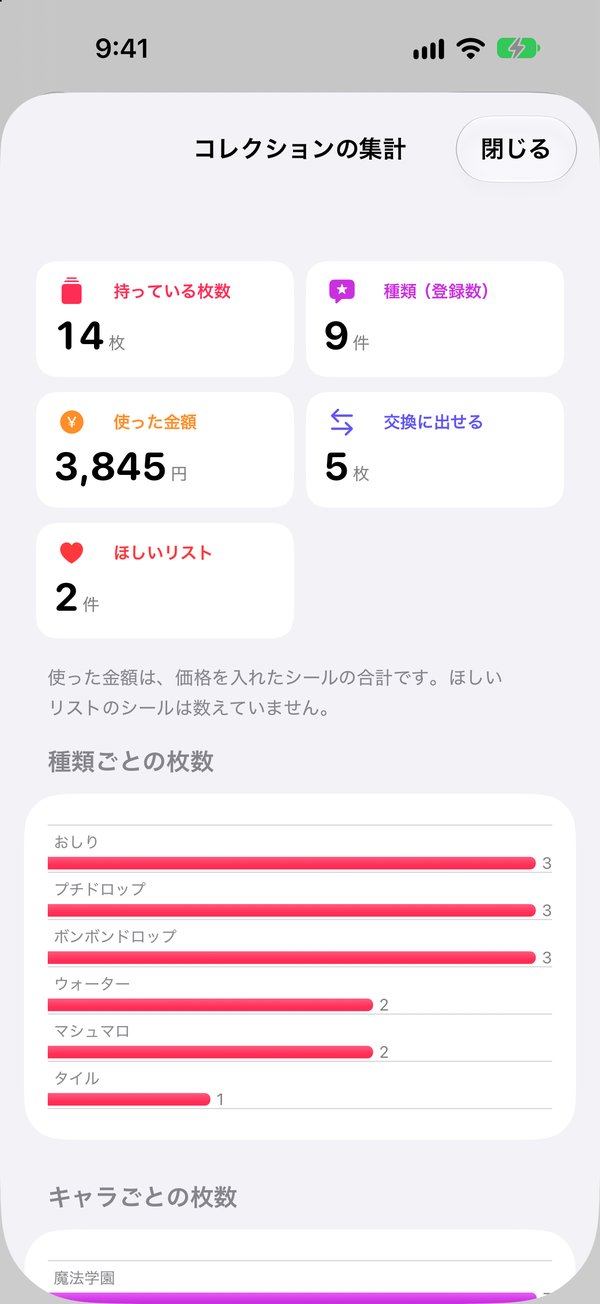
Collection statistics
Charts of how many stickers you have, how much you've spent, and counts by type, character and month.
Home screen widget
Your favorite or most recent stickers appear on your home screen, changing every day.
New iOS design
Search and buttons updated for the new look of iOS 26 and iOS 27.
HISTORY
Version history
- v1.4.2Coming soon
- Added "More from palnet Lab." to the Settings screen
- v1.4.1Oct 26, 2026
- Always uses the light appearance, even in Dark Mode
- Easier-to-read screen titles
- v1.4Oct 14, 2026
- Added a wish list, quantity and trade counts, and trade list images
- Added collection statistics (charts)
- Added a home screen widget
- Updated for the iOS 26 and 27 design
- v1.3Sep 12, 2026
- Added backup and restore for when you change phones
- v1.0Mar 3, 2026
- First release
PRIVACY
Privacy
Puku Rogu does not collect any information about you. Your sticker records and images are stored only on your device. The camera and photo library are used only to photograph or choose stickers and to scan barcodes.
MORE APPS
More apps from palnet Lab.
Lifestyle

How Much Left?
An allowance tracker that shows what's left at a glance (iPhone · Widget · Android)

Sanpo Rupu
Walking routes that bring you back home (iPhone · Apple Watch)

Wanko Sanpo
Log dog walks, pee and poop (iPhone · Apple Watch)

Pasha Kakeibo
A household budget you fill in by snapping receipts (iPhone)

Ouchi no Koto
Log chores and household supplies in one phrase (iPhone · Apple Watch · Siri)

Kazoku no Koto
Family records you keep just by speaking (iPhone · Apple Watch · Siri)
Business

Mitsunobu
Create quotes, delivery notes and invoices (Mac · iPad)
Games

Gumi Puchi!
A puzzle where you stretch gummies to the exact length ordered (Play in your browser)
CONTACT
Contact
app@palnetlab.com