 JA
JA

Pasha Kakeibo
iPhone · パシャかけいぼ
Receipt-scanning household budget app
Just snap
your receipts.
Budgeting that lasts.
From a photo of a receipt, the app reads the store name, date, items and total and adds them straight to your household budget. Categories such as groceries and household goods, plus monthly charts, show where your money goes at a glance.
For iPhone. Free. Records are stored on your device — no account or ads.
FEATURES
Snap, check,
and save.
No more copying receipts by hand — record them before they pile up.
Snap with the camera
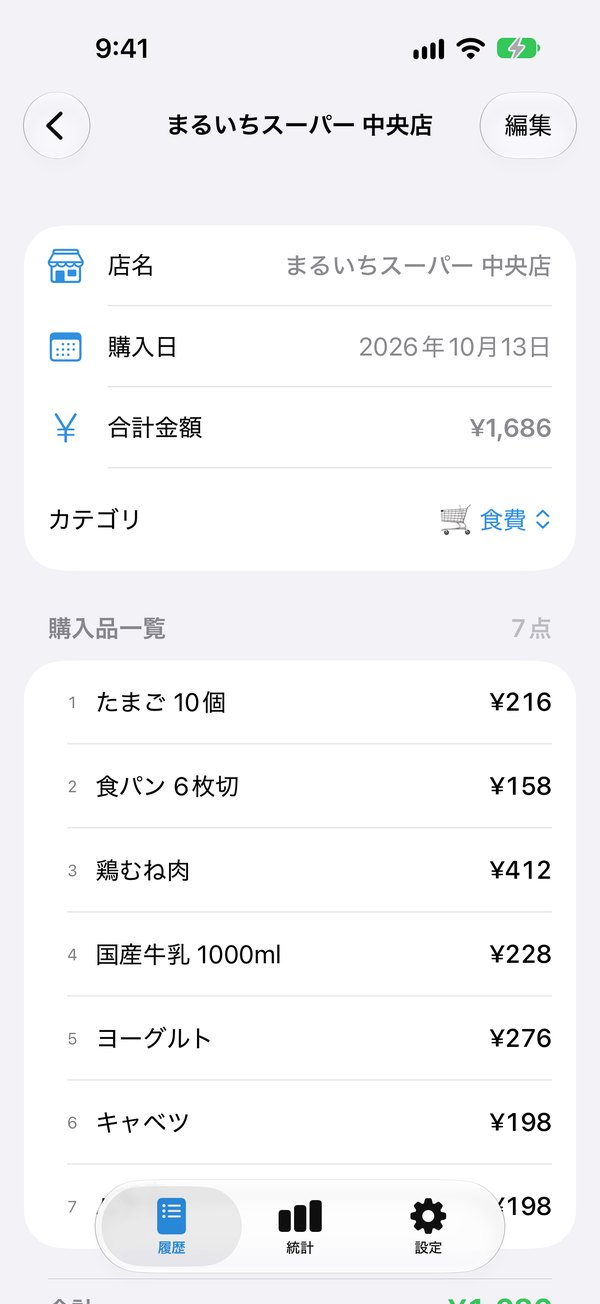
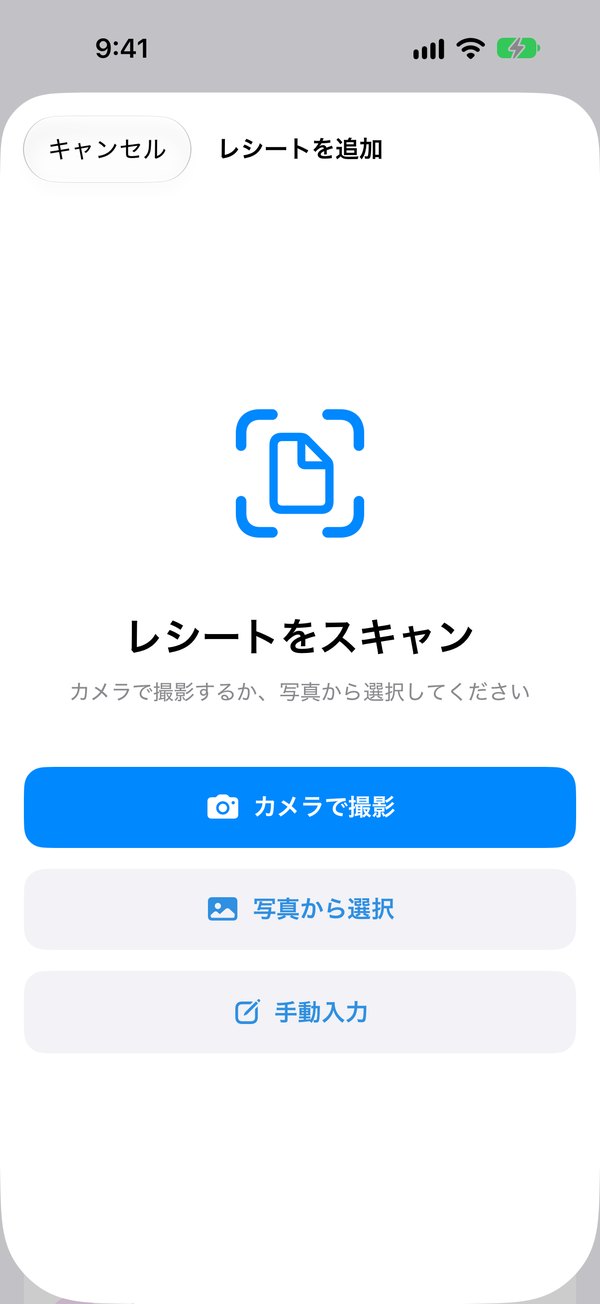
Take a photo of a receipt and the store, date, items and amounts are read automatically. You can also import from the Photos app.
Check before saving
Fix anything on the spot. No receipt? Enter it by hand.
Sorted into 8 categories
Groceries, household goods, medical, clothing, transport, eating out, hobbies and other.
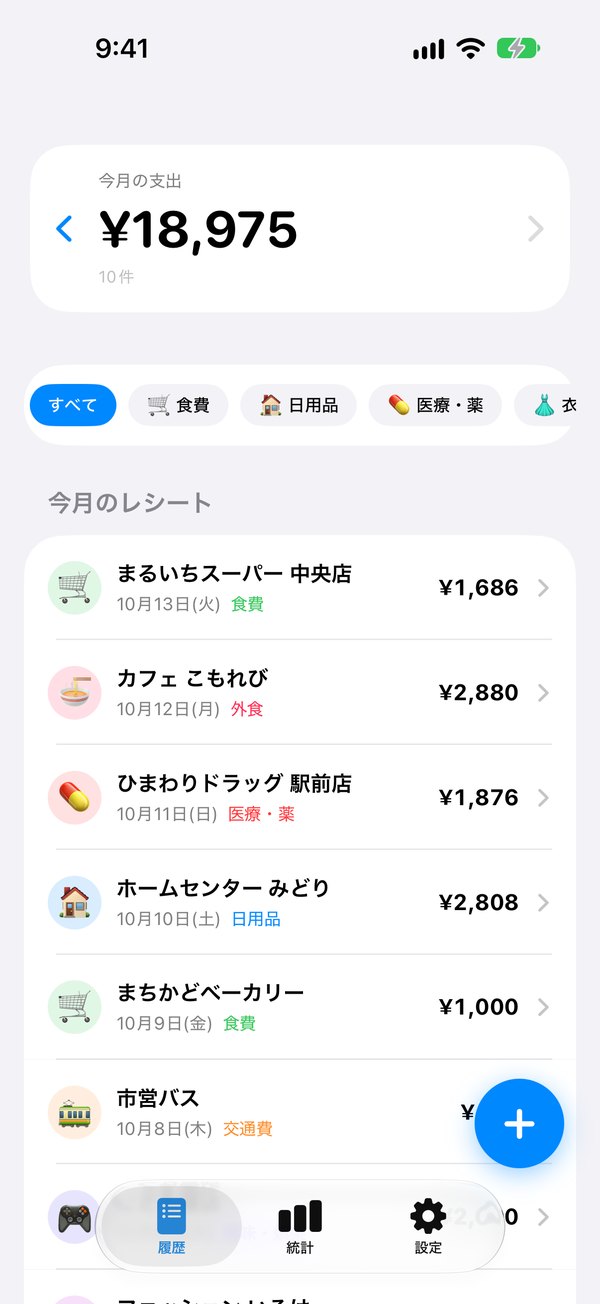
Monthly spending at a glance
A card shows this month's total and number of receipts. Compare with previous months.
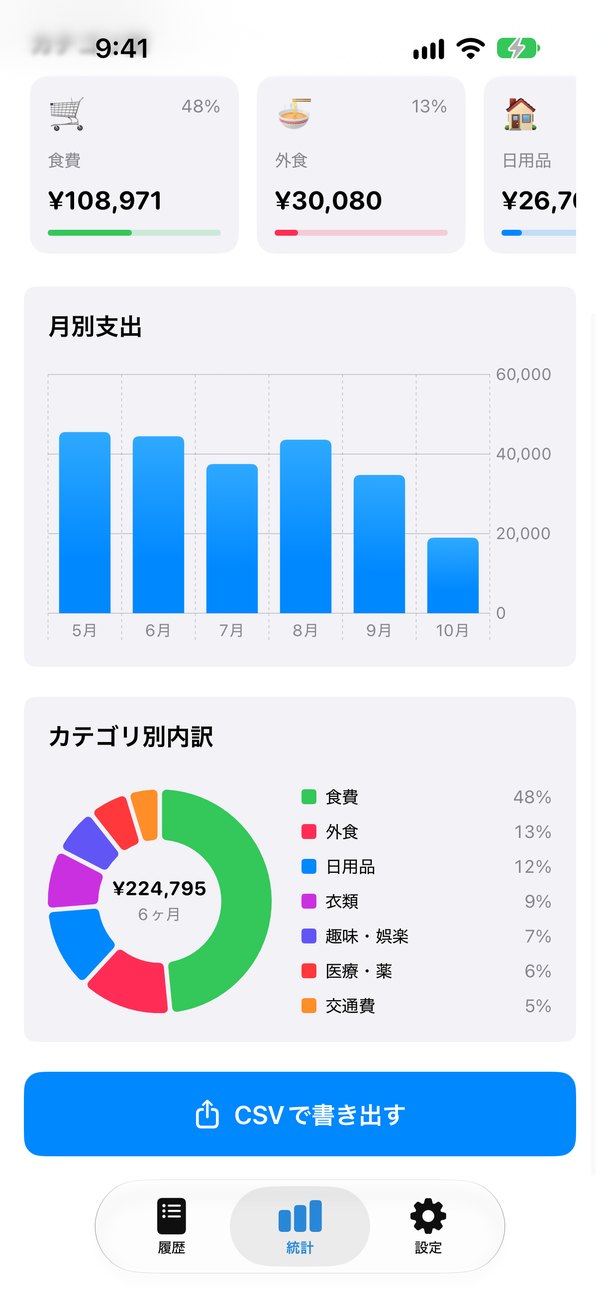
Charts for the breakdown
See the monthly trend and the breakdown by category in charts.
Export to CSV
Export a CSV you can open in Excel or Numbers.
Your data stays on your device
Receipt photos and records stay on this iPhone. No network, account or ads.
ON-DEVICE AI
Read more accurately
with Apple Intelligence.
From v2.0, Apple Intelligence running on your iPhone compares the receipt photo with the recognized text to read the total, items and store name. It is much less likely to mistake the subtotal, tax, cash tendered or change for the total. Receipts are never sent anywhere.
Read only on your iPhone
Only the on-device model is used. Nothing is sent to servers, including Private Cloud Compute.
Works on other iPhones too
On models without Apple Intelligence, or when it is turned off, the app records receipts with its standard reading.
SCREENS
Screens
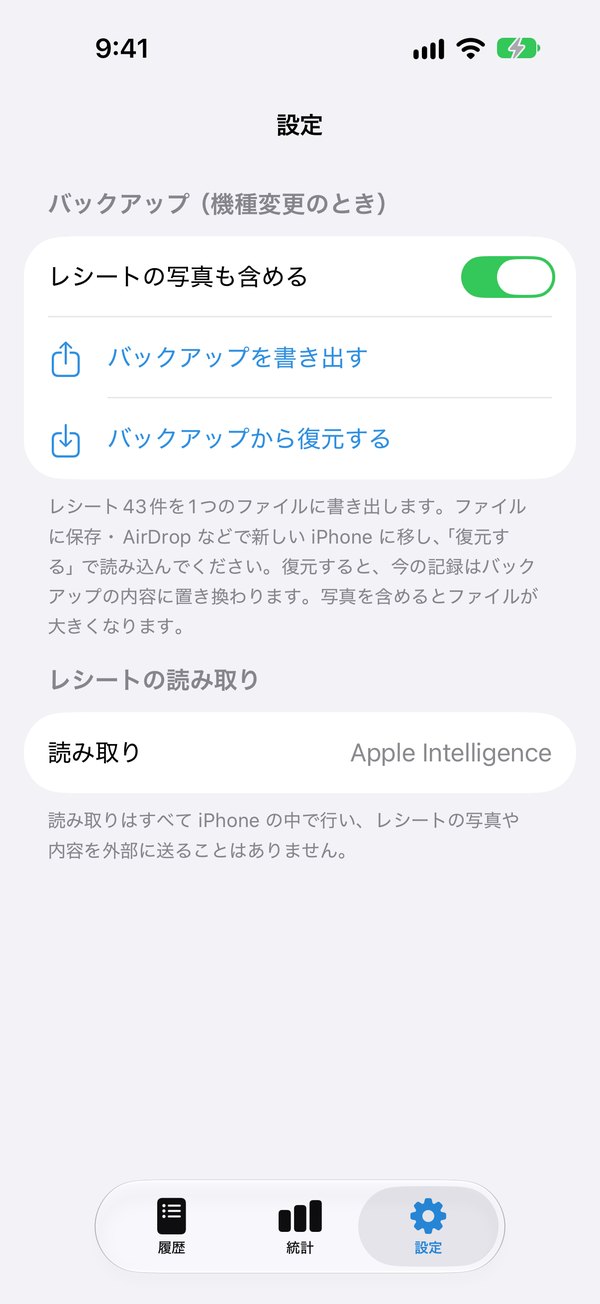
Receipt list, what was read, charts and settings. Screenshots show the Japanese interface; all stores are fictional samples.

Scroll sideways to see more
NEW in v2.0
New in v2.0Coming soon
A major update to reading accuracy and everyday ease of use. v2.0 requires iOS 27 or later.
Reading with Apple Intelligence
Apple Intelligence on your iPhone reads the total, items and store name. Receipts never leave the device.
One shot, then straight to reading
Press the shutter and reading starts right away — no more wondering whether to take another photo.
Swipe the month card
A light swipe moves to the previous or next month, all the way back to your oldest month.
Backup and restore
From Settings, save your records and receipt photos to one file and restore them on a new iPhone.
Clearer list and a new icon
The list shows the store name with the date and category on two lines. The icon has a simpler new look.
HISTORY
Version history
- v2.0Coming soon
- Receipt reading with on-device Apple Intelligence
- Camera reads right after one shot
- Swipe the month card to switch months
- Backup and restore, new Settings screen
- Requires iOS 27 or later
- v1.02March 4, 2026
- New launch screen
- Add-receipt button moved to the bottom right
- Overall design improvements
- v1.0February 26, 2026
- First release
PRIVACY
Privacy
Pasha Kakeibo does not collect any information about you. Receipt photos and records are stored only on this iPhone, and all reading (including Apple Intelligence) happens on the device.
MORE APPS
More apps from palnet Lab.

Puku Rogu
Photograph and organize your sticker collection (iPhone)

Ato Ikura?
An allowance tracker that shows what's left at a glance (iPhone · Widget)

Mitsunobu
Create quotes, delivery notes and invoices (Mac · iPad)

Sanpo Rupu
Walking routes that bring you back home (iPhone · Apple Watch)

Wanko Sanpo
Log dog walks, pee and poop (iPhone · Apple Watch)

Sodachi TechoComing soon
Your child's growth, vaccines, photos and artwork (iPhone · Widget)
CONTACT
Contact
app@palnetlab.com