 JA

How Much Left?
iPhone · Widget · Android · あといくら?
Countdown allowance tracker
From the budget you set,
see how much is left
at a glance.
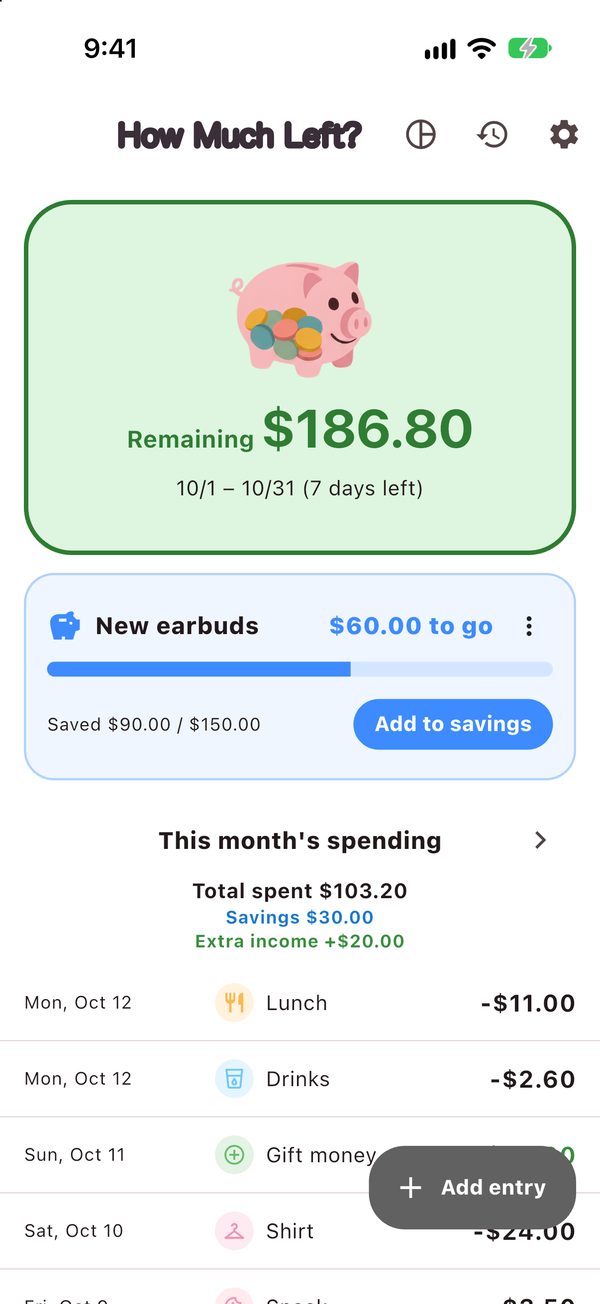
Set a budget for this month, this week or any period, then just record what you spend. The piggy's face changes with your balance, so it's easy to notice when you're spending too much.
For iOS 15 and later and Android 7.0 and later. Your data stays on your device — no network access, ads or tracking.
FEATURES
Features
Set a budget and record your spending. Allowance and household budgeting, made simple.
See your balance at a glance
Set a budget for this month, this week or any period, and record what you spend.
Record extra income too
Add extra income, like gifts or a reward for helping out, from the same screen as spending.
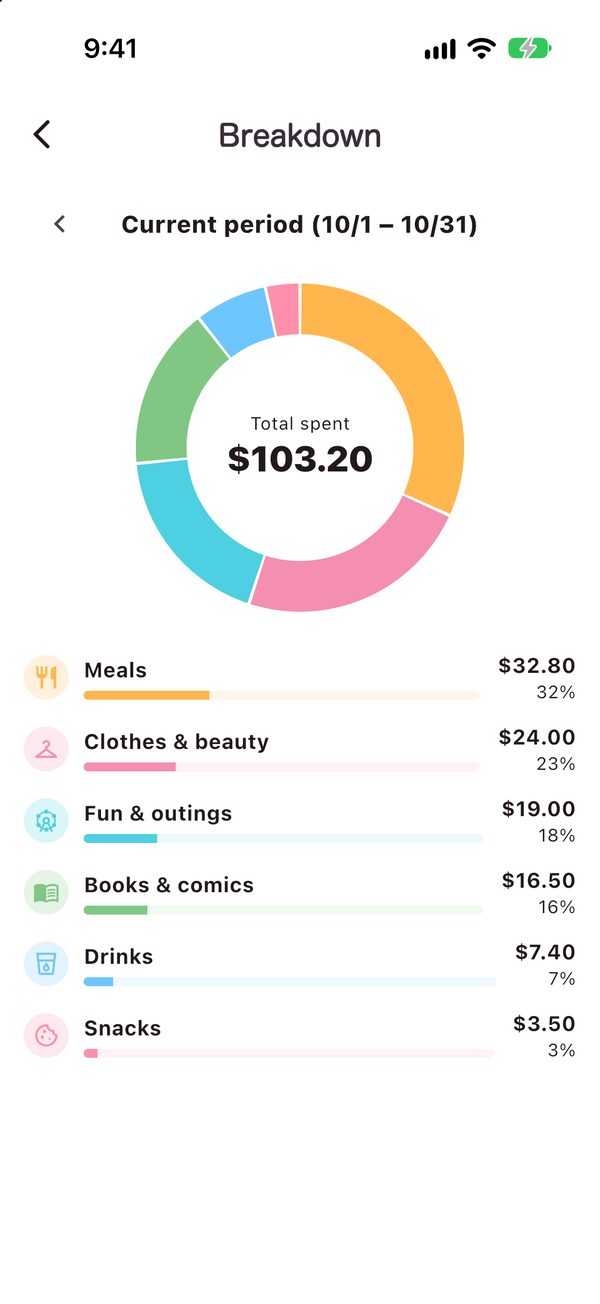
Spending categories and a pie chart
Choose from 12 categories such as snacks, food, books and games, and see where your money went.
Savings goal
“$20 to go for that game!” Set a goal and save a little at a time.
17 currencies
US dollar, euro, pound, yen, won and more. Amounts are shown the way they're written where you live.
Home screen widget
Check your balance without opening the app.
Your data stays on your device
No network access, ads or tracking. Use it with peace of mind.
KIDS MODE
Simple words
for a first allowance.
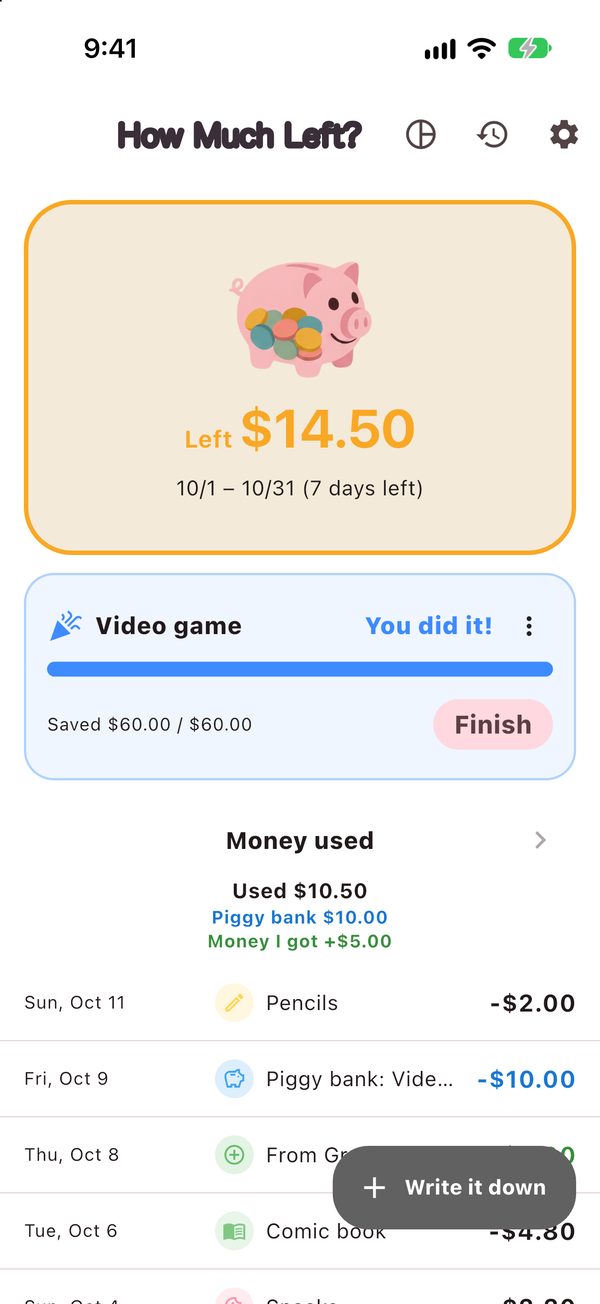
When a child uses it, switch to Kids mode with one tap. The wording becomes simpler and friendlier.
Words kids understand
“Expense” becomes “Money used”, and “Add entry” becomes “Write it down”. In Japanese, only kanji taught by the 4th grade are used.
Adult / kids, one-tap switch
Change the display mode at any time from Settings.
WIDGET
See what's left
right on your Home Screen.
The widget shows the amount left and the days remaining. The piggy's face changes with your balance, so you notice overspending without opening the app.
How Much Left? Small
The piggy, the amount left and the days remaining.
How Much Left? Medium
The same in a wider, easy-to-read layout.
How to add the widget
- Touch and hold an empty spot on the Home ScreenKeep your finger down until the app icons start to jiggle.
- Tap Edit, then Add WidgetOn iOS 17 and earlier, tap the + button in the top-left corner.
- Choose How Much Left? and pick a sizeSwipe to choose a size, then tap Add Widget. You can drag it anywhere you like.
The widget is available on iPhone (iOS 15 and later). When you log spending, the widget updates too.
SCREENS
Screens
From setting a budget to the spending chart and your history.
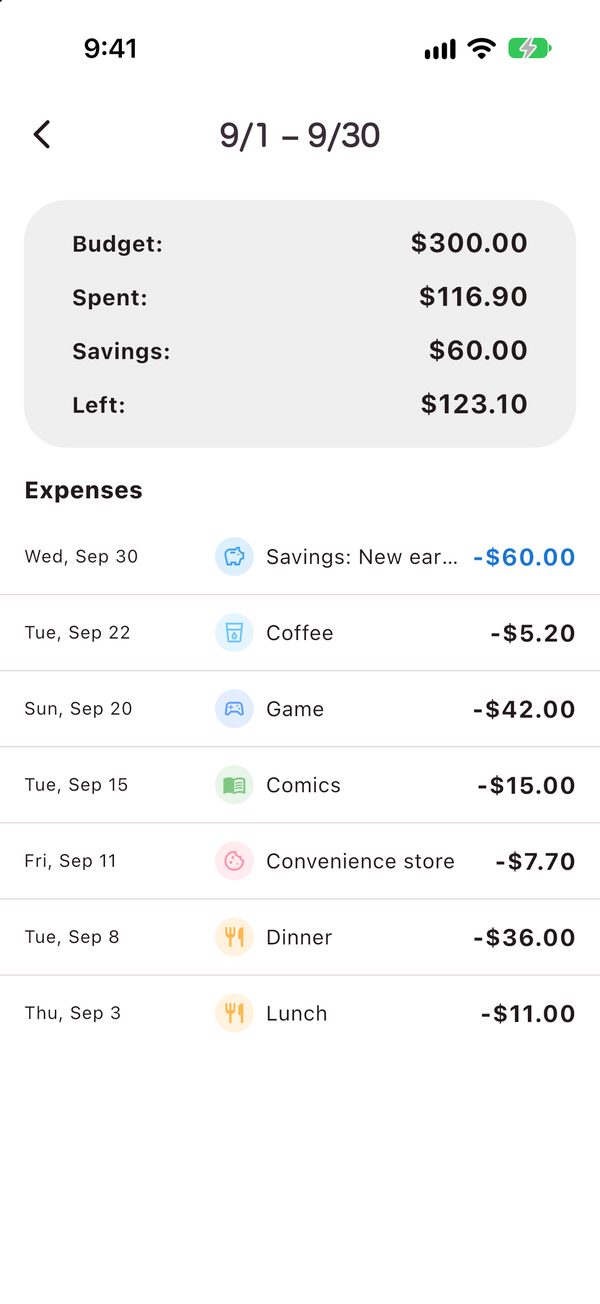
Scroll sideways to see more
NEW in v1.3
New in v1.3
Now in English, Spanish, Traditional Chinese, Korean, Portuguese and Hindi, with 17 currencies.
Seven languages
Japanese, English, Spanish, Traditional Chinese, Korean, Portuguese and Hindi, following your device language. Kids mode has simple wording in every language.
17 currencies
US dollar, euro, pound, yen, won, New Taiwan dollar, Mexican peso and more. Change it in Settings → Currency (amounts are not converted).
Written the local way
Amounts and dates follow your language and region, like $1,234.50 or 1.234,50 €.
HISTORY
Version history
- v1.3.1Oct 26, 2026
- Cleaner titles at the top of each screen
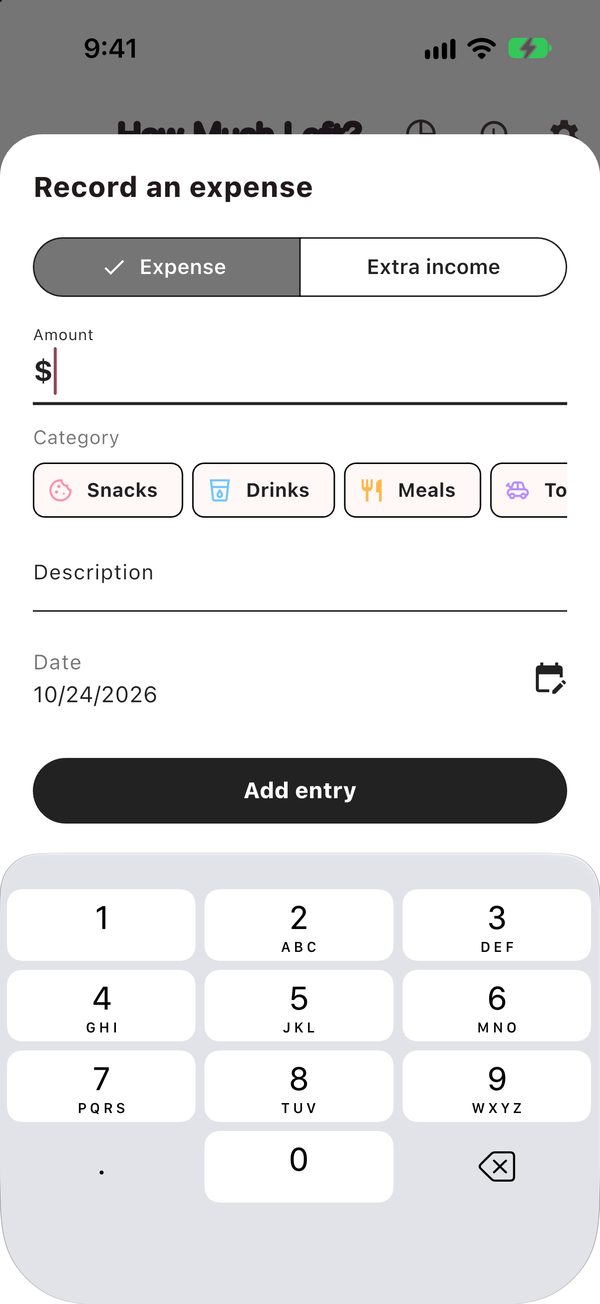
- All categories shown at once when recording — no more side-scrolling
- v1.3Oct 25, 2026
- Available in English, Spanish, Traditional Chinese, Korean, Portuguese and Hindi
- Choose from 17 currencies
- v1.2Oct 14, 2026
- Added spending categories and a pie chart
- Added savings goals
- Updated for iOS 27; the widget now works from iOS 15
- Fixed months not advancing correctly after the app had not been opened for a while
- v1.1Sep 12, 2026
- Added recording extra income (adding to the allowance)
- Adjusted kids' display wording to the kanji taught in elementary school
- v1.0Sep 10, 2026
- First release
PRIVACY
Privacy
How Much Left? does not collect any information about you. Your budget and spending records are stored only on your device, and data is passed to the widget within the same device.
MORE APPS
More apps from palnet Lab.
Lifestyle

Puku Rogu
Photograph and organize your sticker collection (iPhone)
Sanpo Rupu
Walking routes that bring you back home (iPhone · Apple Watch)

Wanko Sanpo
Log dog walks, pee and poop (iPhone · Apple Watch)
Pasha Kakeibo
A household budget you fill in by snapping receipts (iPhone)

Ouchi no Koto
Log chores and household supplies in one phrase (iPhone · Apple Watch · Siri)

Kazoku no Koto
Family records you keep just by speaking (iPhone · Apple Watch · Siri)
Business

Mitsunobu
Create quotes, delivery notes and invoices (Mac · iPad)
Games

Gumi Puchi!
A puzzle where you stretch gummies to the exact length ordered (Play in your browser)
CONTACT
Contact
app@palnetlab.com