 JA
JA
Ouchi no Koto
iPhone · Widget · Siri · おうちのこと
One-phrase chore and supply log
Just say it,
and the household
is taken care of.
“We're out of shampoo, and I cleaned the bath.” With one phrase, the shampoo goes on the shopping list and the bath chore resets to day 0 — sorted automatically. When did we last do it, do we still have it, since when has our child had a fever? The app keeps all the little household things in one place.
For iPhone, with widgets and Siri. Records are stored on your device — no account or ads.
FEATURES
One phrase,
several records.
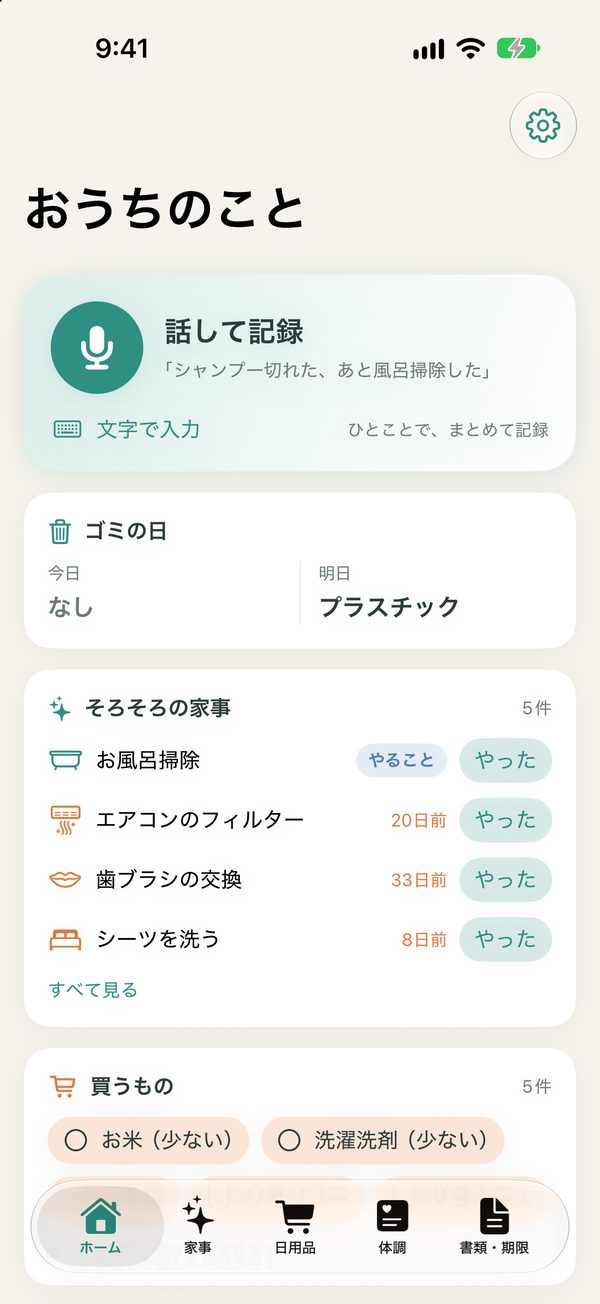
No need to find the right screen. The app decides where each thing you say should be recorded.
Speak to record
From the microphone on Home, Siri, a widget or Control Center. One phrase can record chores, supplies and health at once. You can also type.
When did we last? (chores)
Sheets, the bath, the air conditioner filter, the water filter cartridge. Days since last time and your target interval are shown in color, with reminders when a chore is due.
Chores to do, too
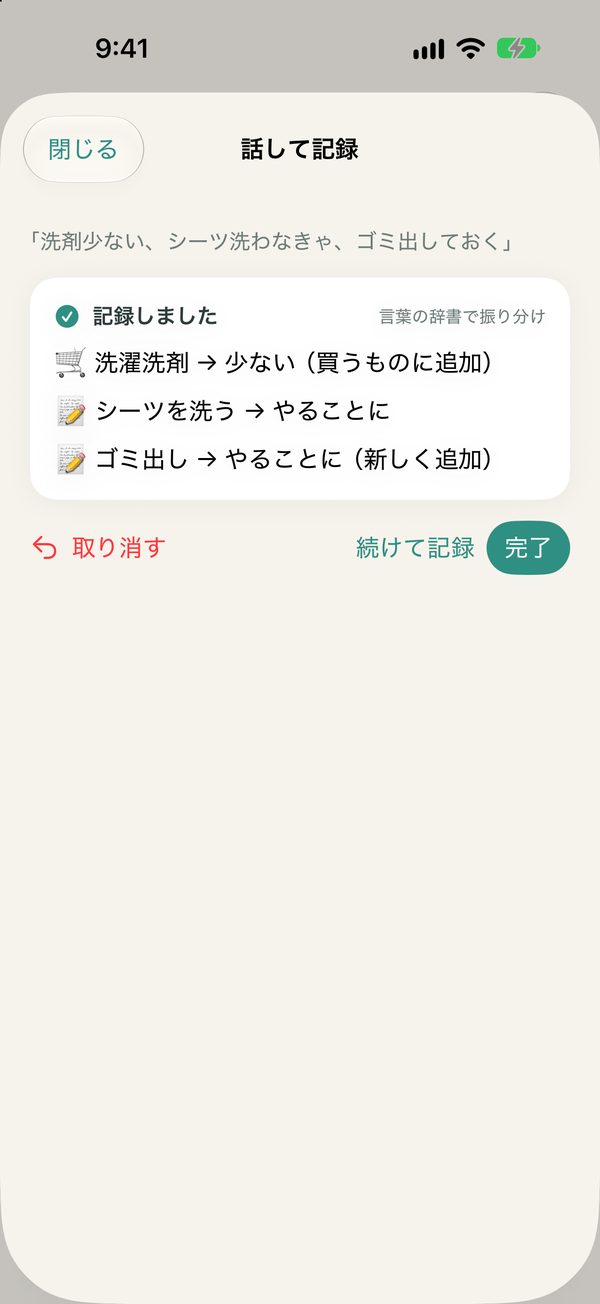
Say “I need to wash the sheets” or “I'll take out the garbage” and the chore is marked to do, at the top of chores coming due. The mark clears when you do it.
Do we still have it? (supplies)
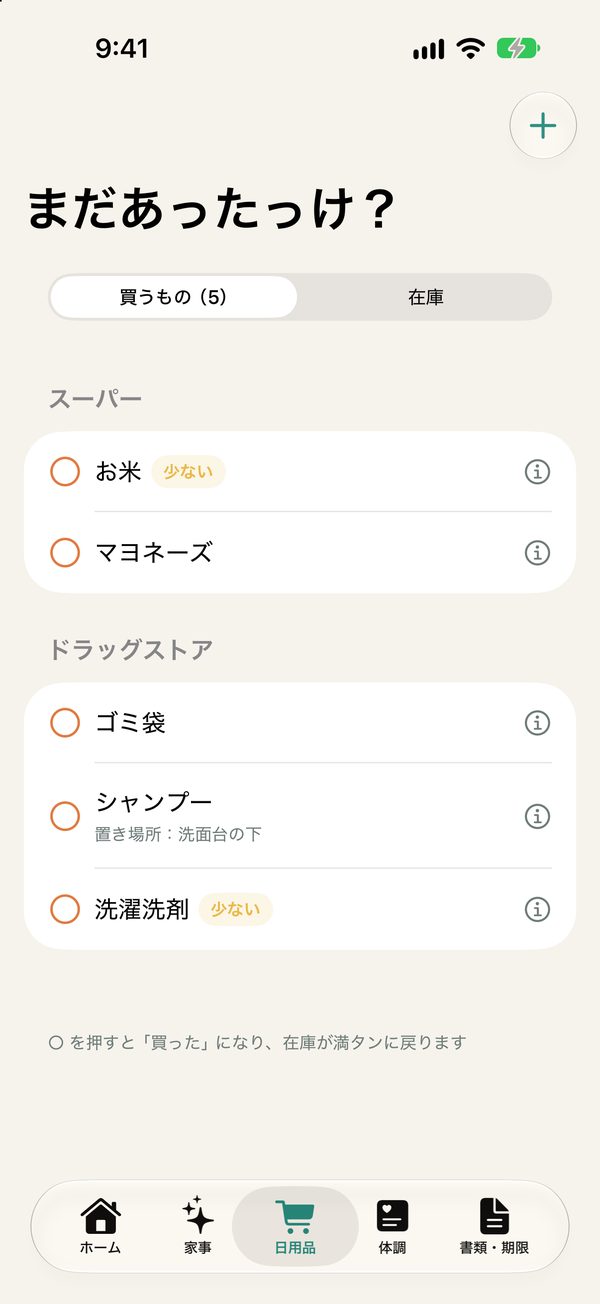
Just three levels: plenty, low, out. Items that are low or out go on the shopping list, grouped by store. Tap when you buy them and they're back to full.
Family health notes
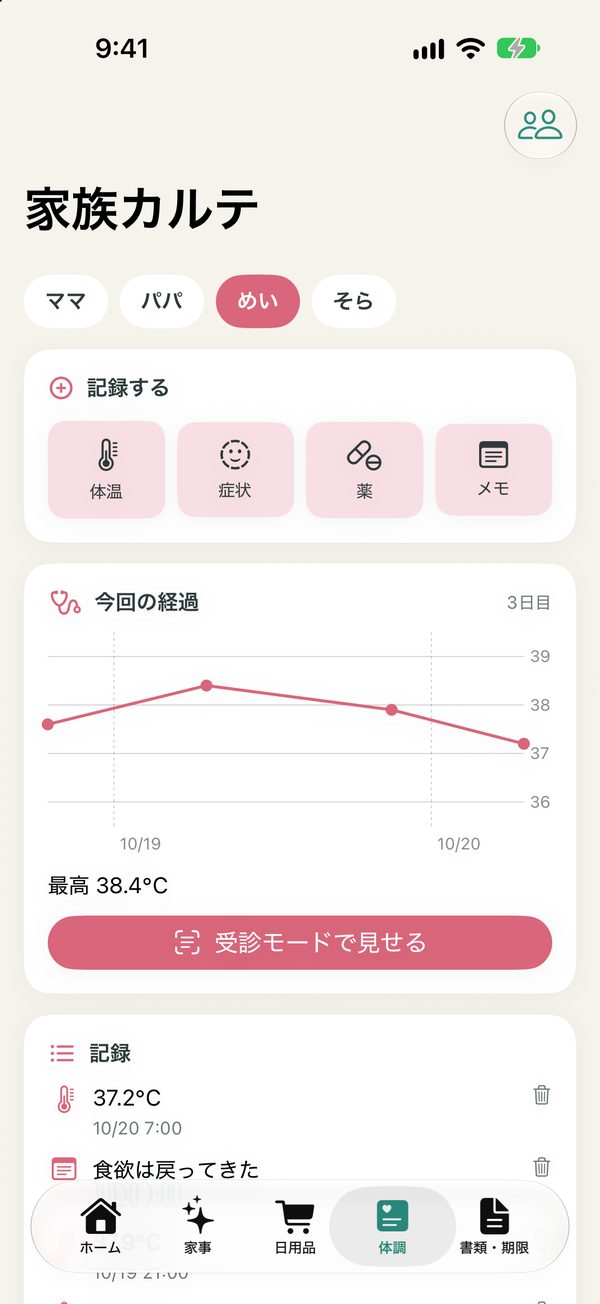
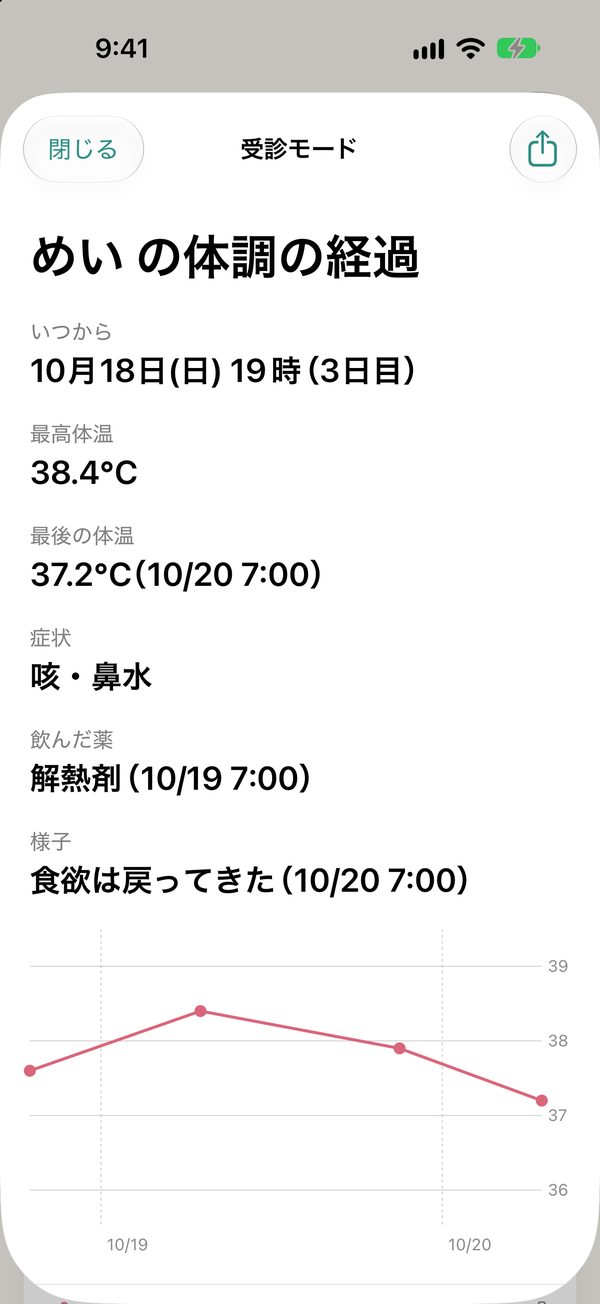
Temperature, symptoms, medicine and notes for each family member. Temperatures are charted, and Visit mode shows the history in large text at the doctor's.
Notices and deadlines
Photograph school notices or inspection letters and the text is read so you can search later. Dates found can be added as deadlines.
Deadlines and renewals
Car inspection, driver's license, passport, insurance, warranty expiry — get reminders ahead of time.
Garbage days
Set the weekday and week of the month, and get a reminder the evening before. Home and widgets show “Tomorrow: burnable garbage”.
Ask your records
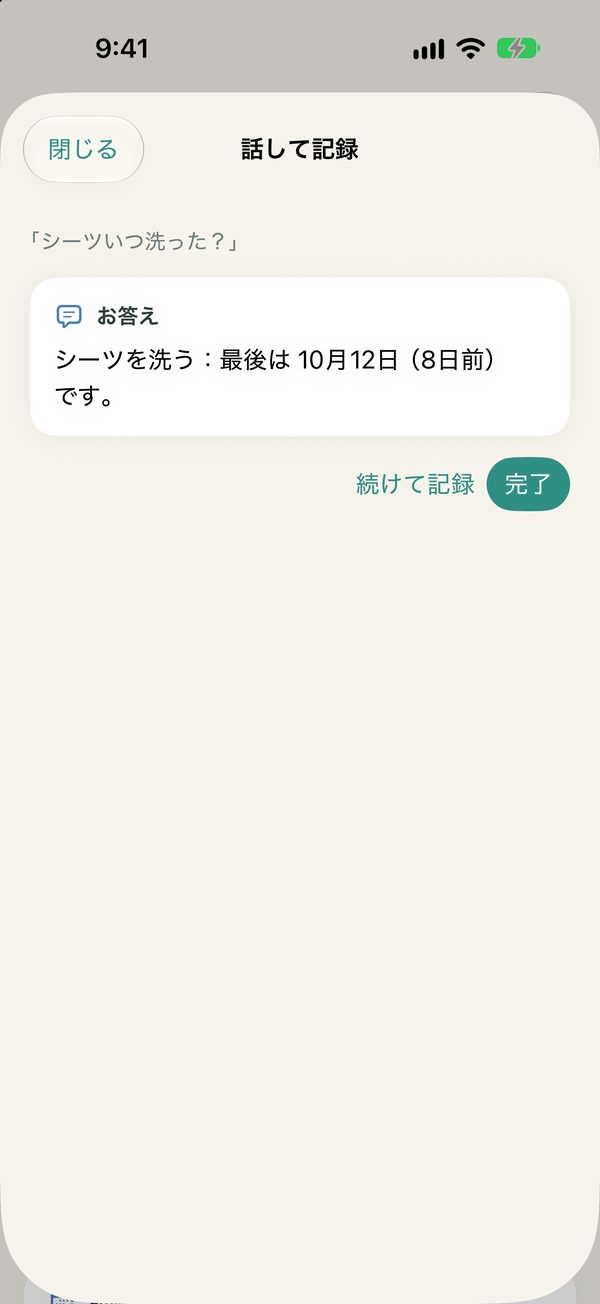
“When did I wash the sheets?” “Do we have detergent?” “What's tomorrow's garbage?” — answered from your records.
Backup
Export your records and notice images to one folder and restore them on a new iPhone.
ONE PHRASE
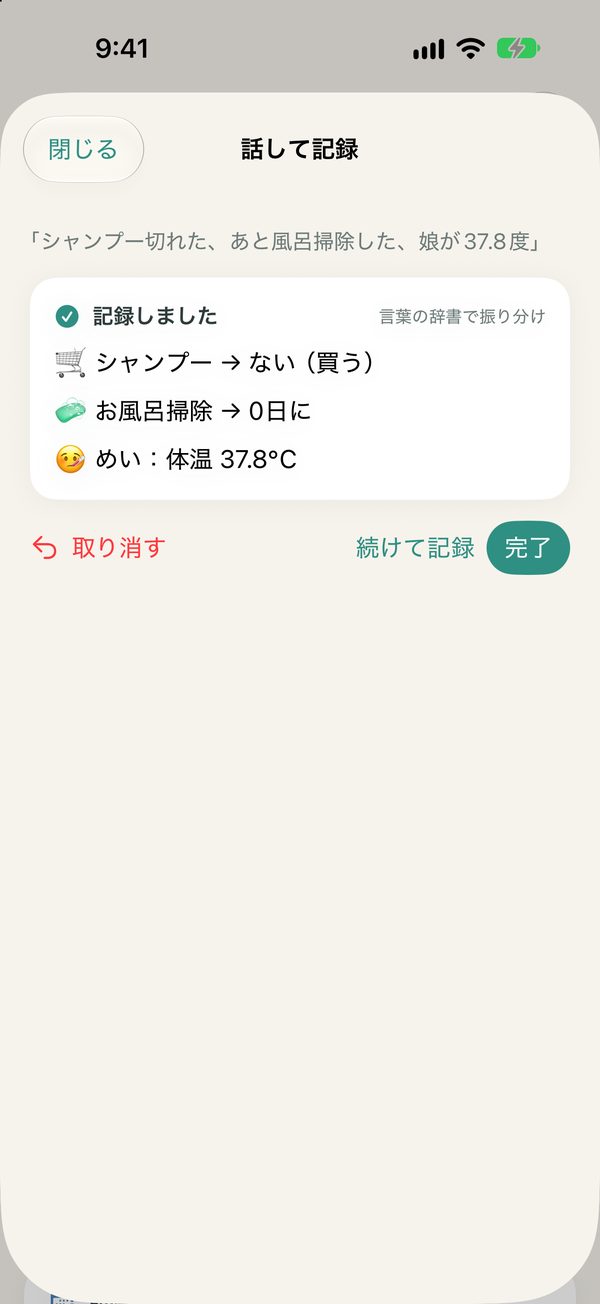
“Out of shampoo,
and I cleaned the bath.”
This one phrase becomes two records: shampoo goes on the shopping list and the bath chore resets to day 0. Each time, a card shows what was recorded where, and you can undo it right away. Transcription and sorting both happen only on your iPhone.
A word dictionary and on-device AI
Common phrases are sorted instantly by a built-in word dictionary; for other wording, Apple Intelligence running on your iPhone (supported models) reads it. It also works on iPhones without Apple Intelligence.
Or just ask Siri
Say “Record in Ouchi no Koto” to record without opening the app, or “Ask Ouchi no Koto” to ask about your records.
SCREENS
Screens
Home, speak to record, chores, supplies, family health, Visit mode, notices and deadlines. Screenshots show the Japanese interface with sample data.

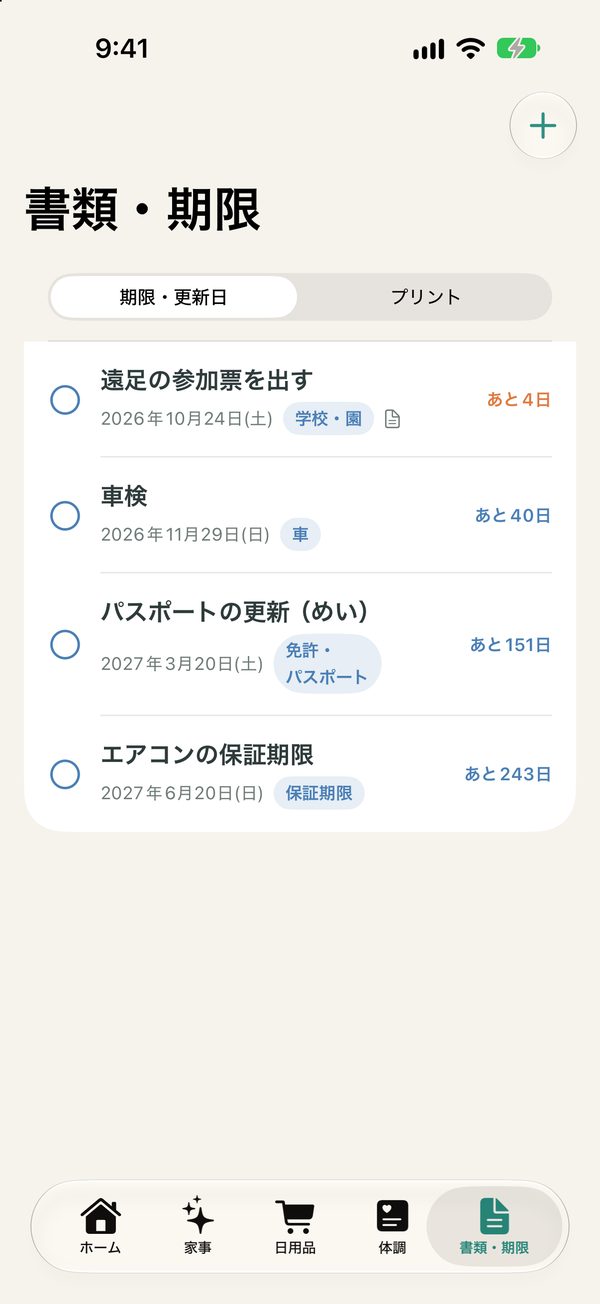
Scroll sideways to see more
HOW TO
Getting started
- Choose what to start withAdd common chores, everyday supplies and sample garbage days in one go. You can change them anytime.
- Speak to recordTap “Speak to record” on Home and say something like “We're out of shampoo, and I cleaned the bath.” You can also tell Siri “Record in Ouchi no Koto”.
- Tap “Done” or “Bought”Tap “Done” for chores and tap items when you buy them. Check chores due and garbage days on Home, in widgets and in reminders.
FAQ
Frequently asked questions
What can I say?
“Out of”, “running low”, “buy”, “want” and “want to eat” add to the shopping list; “I did …” resets a chore to day 0; “I need to …” or “I'll …” marks a chore to do; “Our daughter is 37.8°C” or “Our son has a cough” goes to health notes; “When did I …?”, “Do we have …?” and “What's tomorrow's garbage?” are answered as questions. Link several with “and” to record them at once. (The app understands Japanese.)
Is my voice sent anywhere?
With “Speak to record” in the app, your voice is transcribed only on your iPhone (on-device speech recognition) and is not saved. On iPhones that don't support on-device transcription, you can type instead. When you record through Siri, Siri (Apple) transcribes what you say.
Does it work without Apple Intelligence?
Yes. Common phrases are sorted by a built-in word dictionary. On supported iPhones, Apple Intelligence running on the device is also used for other wording. Nothing is sent to servers, including Private Cloud Compute.
What if something is recorded wrongly?
Use “Undo” on the card shown after recording, or in “What you recorded” on Home. You can also edit chores and supplies directly.
Can I use the health notes at the doctor's?
They are notes to tell the doctor how things have gone — since when, how high the temperature was, which medicine was taken. The app does not judge illness or recommend visits or medicine, and it is not for medical decisions.
Can I move my data to a new iPhone?
Use “Export backup” in Settings to save your records and notice images to one folder in the Files app, then choose “Restore from backup” on the new iPhone.
Can my family see the same records?
In this version, records stay on one iPhone.
PRIVACY
Privacy
Ouchi no Koto does not collect any information about you. Your chores, supplies, health notes, notices and deadlines are all stored only on this iPhone. Your voice in the app is transcribed on the device and not saved. Sorting (including Apple Intelligence) and reading text on notices also happen entirely on the device.
MORE APPS
More apps from palnet Lab.
Puku Rogu
Photograph and organize your sticker collection (iPhone)

Ato Ikura?
An allowance tracker that shows what's left at a glance (iPhone · Widget)

Mitsunobu
Create quotes, delivery notes and invoices (Mac · iPad)
Sanpo Rupu
Walking routes that bring you back home (iPhone · Apple Watch)
Wanko Sanpo
Log dog walks, pee and poop (iPhone · Apple Watch)

Pasha Kakeibo
A household budget you fill in by snapping receipts (iPhone)
Mainichi KazokuComing soon
Family records on a timeline, a map and a yearbook (iPhone · Widget)
CONTACT
Contact
app@palnetlab.com