 JA
JA

Mainichi Kazoku
iPhone · Widget · まいにち家族
Family record app
Keep your family's life
on a timeline
and a map.
Daily photos and a few words, the day you built your house or your new car arrived, your children's artwork and teachers' comments, and the places you went together. Just snap and save, and your family's records grow into a timeline, a map and a yearbook.
For iPhone, with widgets. Records and photos are stored on your device — no account or ads.
FEATURES
Everyday moments
and big life events.
Choose a photo and the date and place are filled in automatically. Add your whole family — adults, children, grandparents and pets.
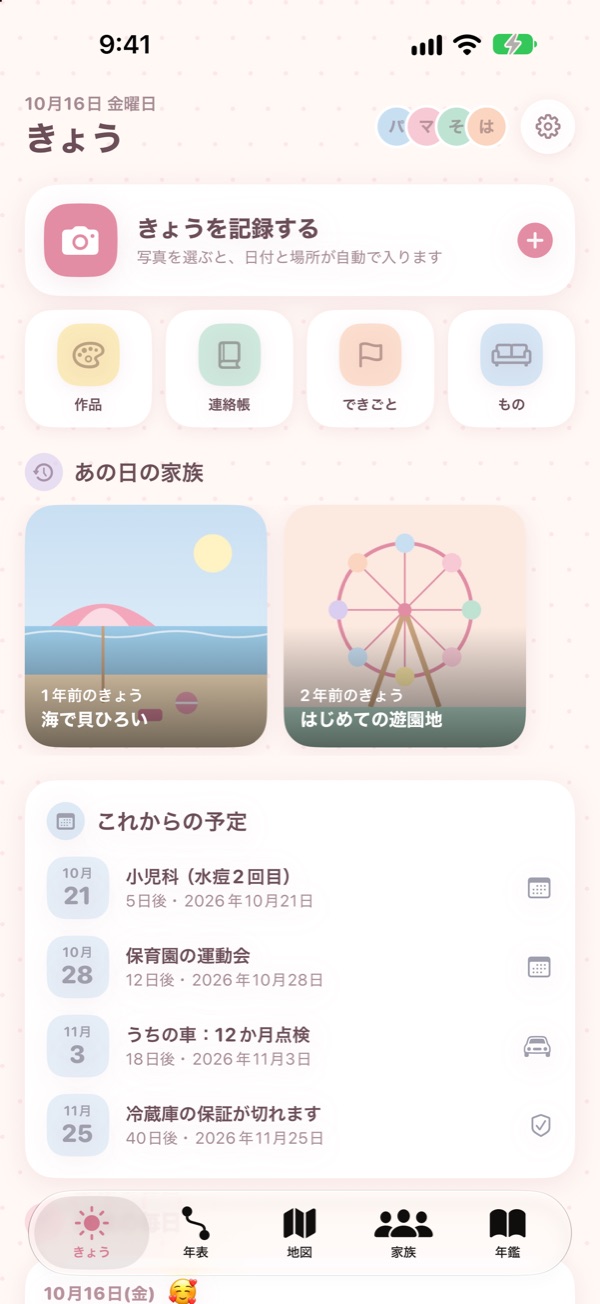
Record today
Choose photos and the date and place are read from them. Add who was there, a mood stamp and a few words.
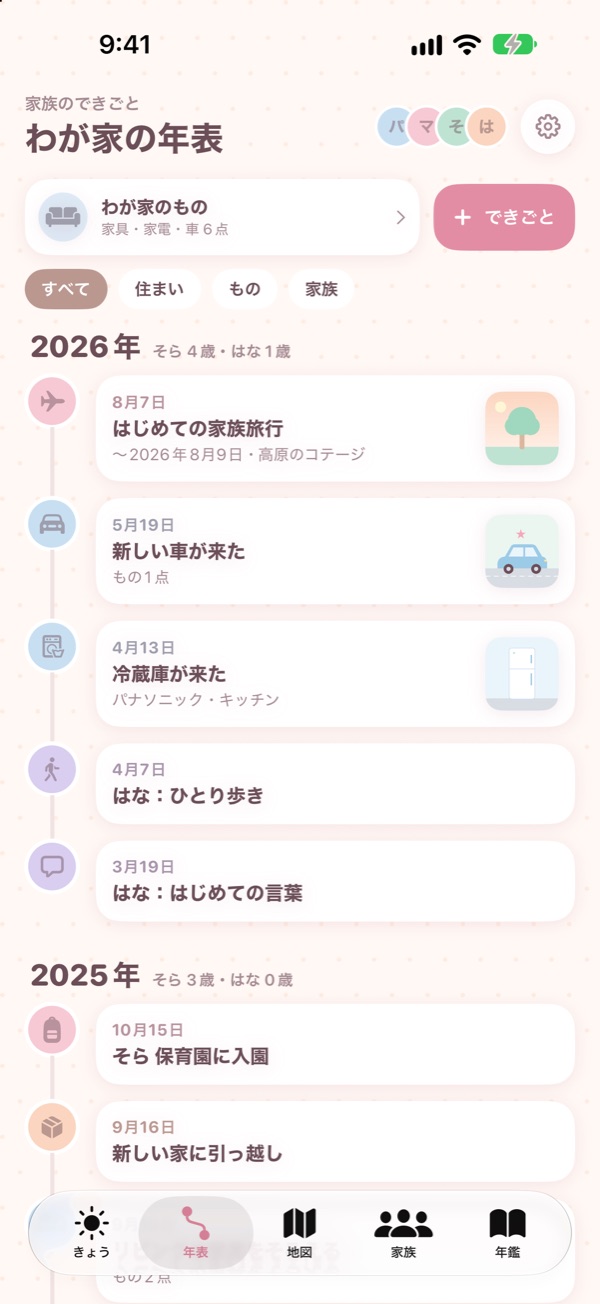
Family timeline
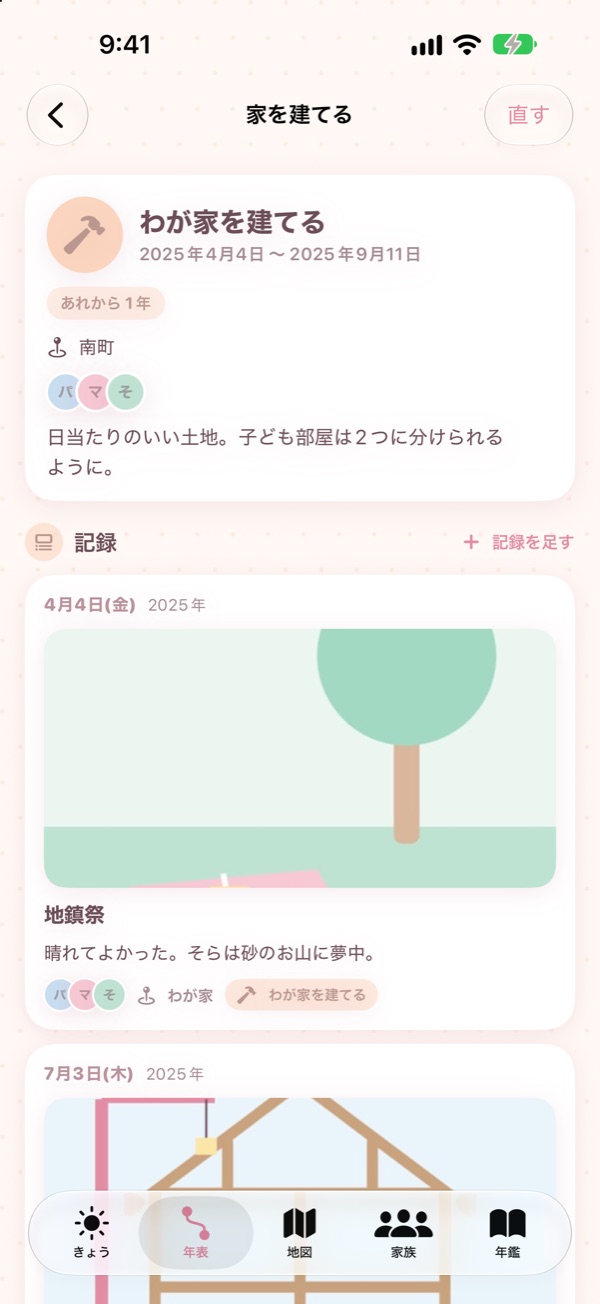
Buying or building a house, moving, furniture, appliances and cars, school entrance, a new job, family trips. For a new house, add photos at each step — groundbreaking, framing, handover.
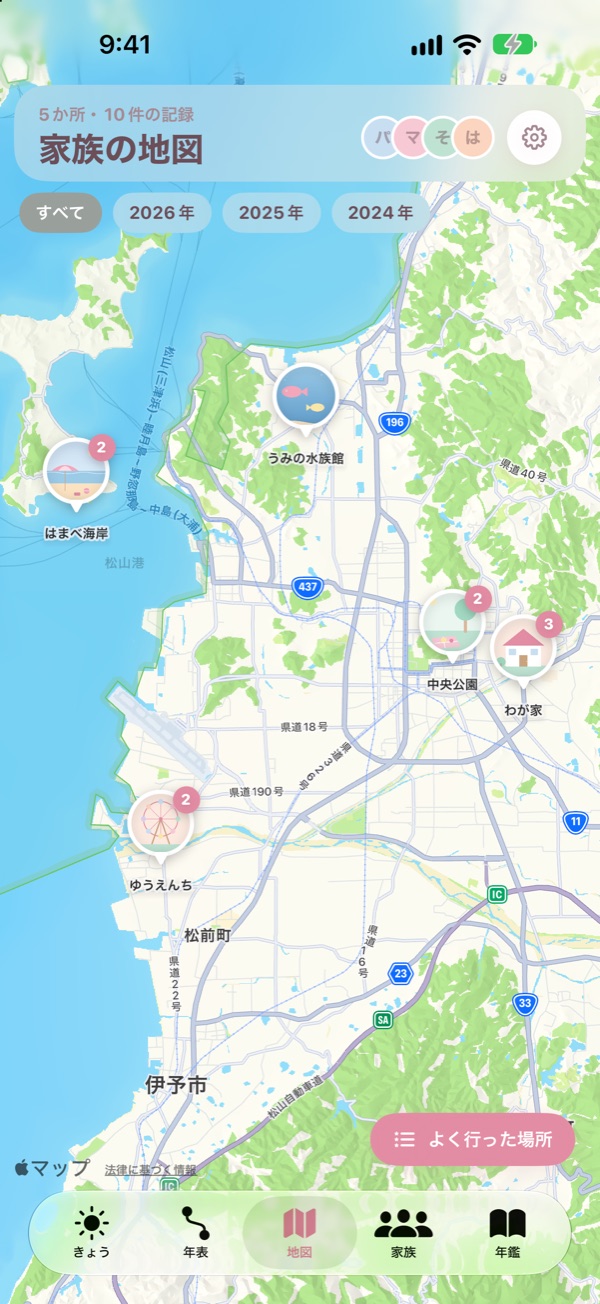
Family map
Records with a place pile up on the map. The same place is grouped by year, and you can see your most-visited places.
On this day
Records from the same day one or two years ago appear on the home screen.
Artwork museum
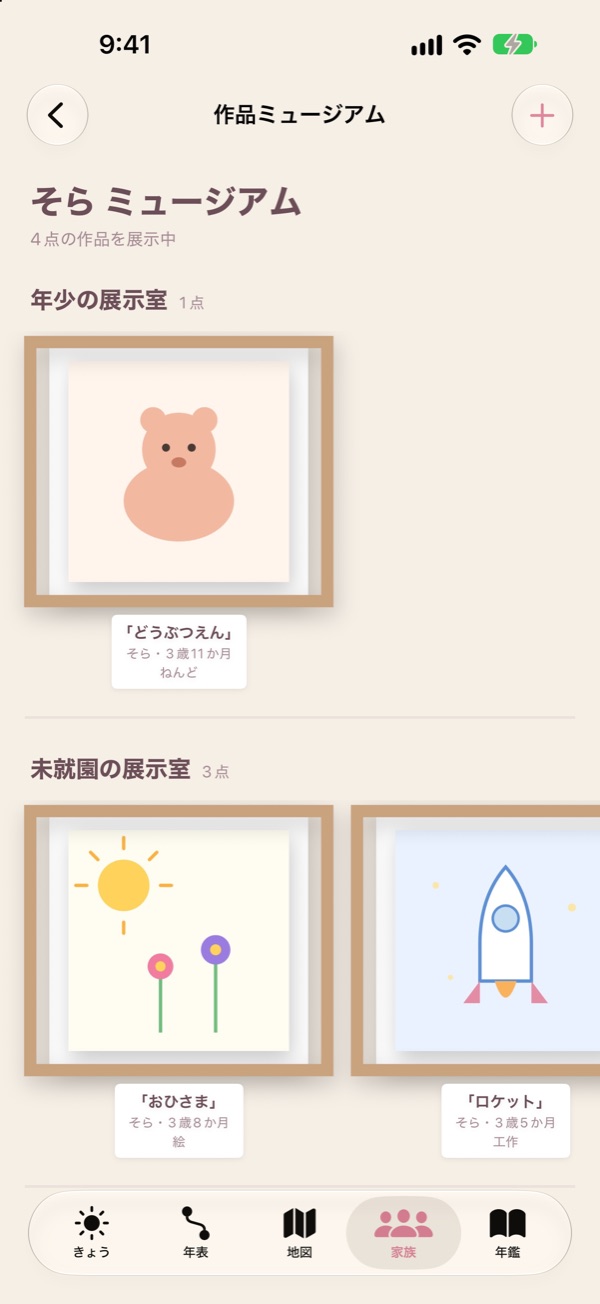
Drawings from nursery and school are straightened, crafts are cut out from the background, and all are framed in a gallery for each school year.
Contact notebook
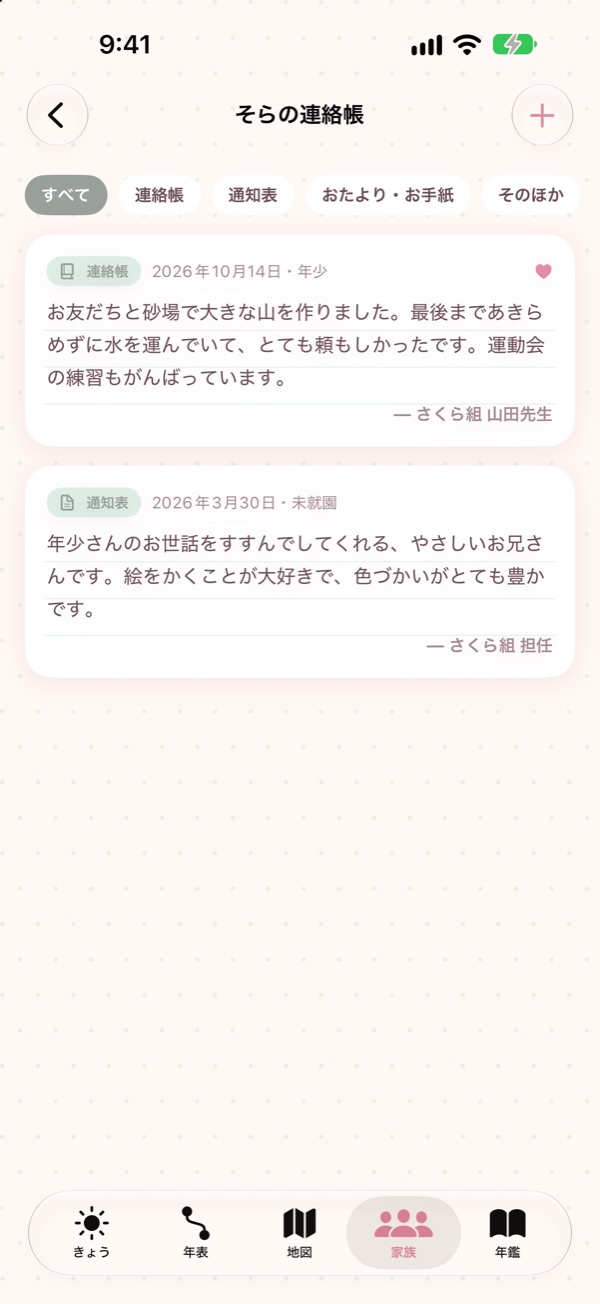
Photograph a teacher's comment in the contact notebook or report card, and the text is read and saved.
Family yearbook
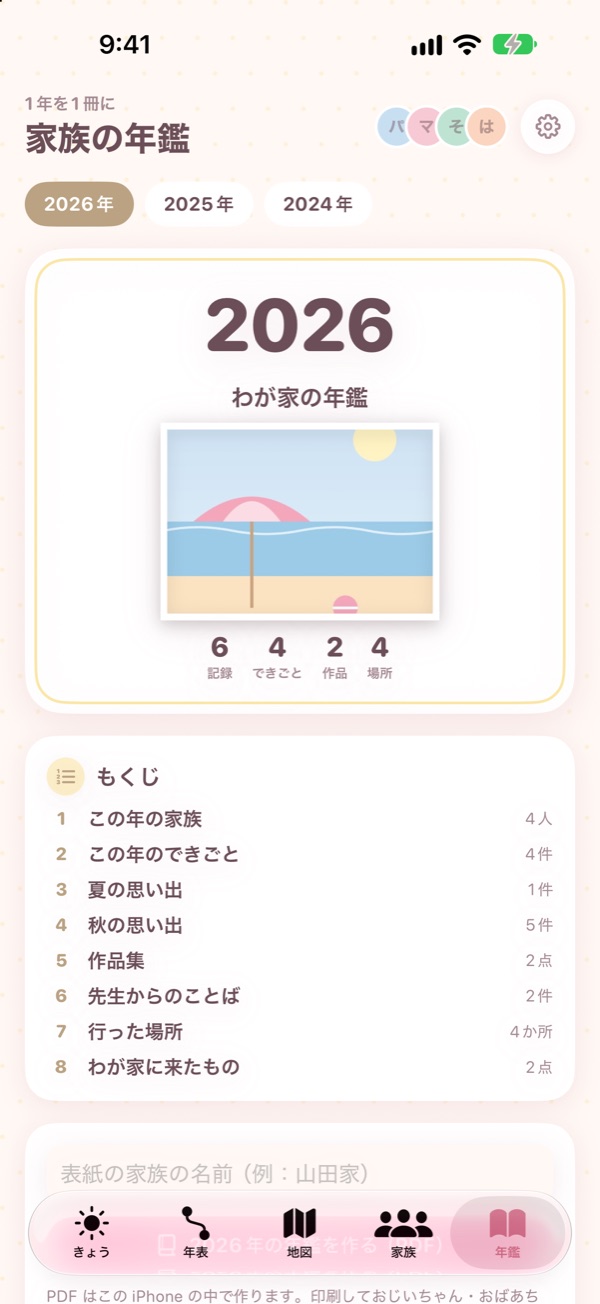
A year of records laid out in chapters as one PDF — print it for the grandparents.
Children's growth too
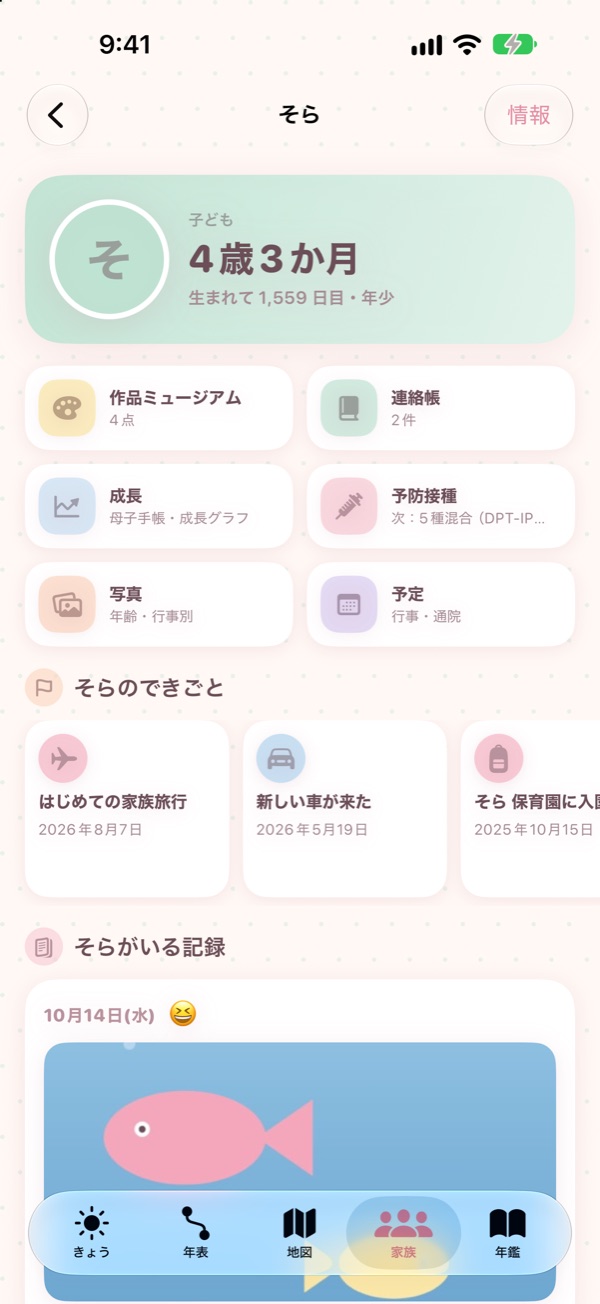
Each child's page also has growth charts, vaccinations and checkup records.
Backup
Export your records and photos to one folder and restore them on a new iPhone.
HOUSEHOLD
Just snap the warranty card.
Get a reminder before it expires.
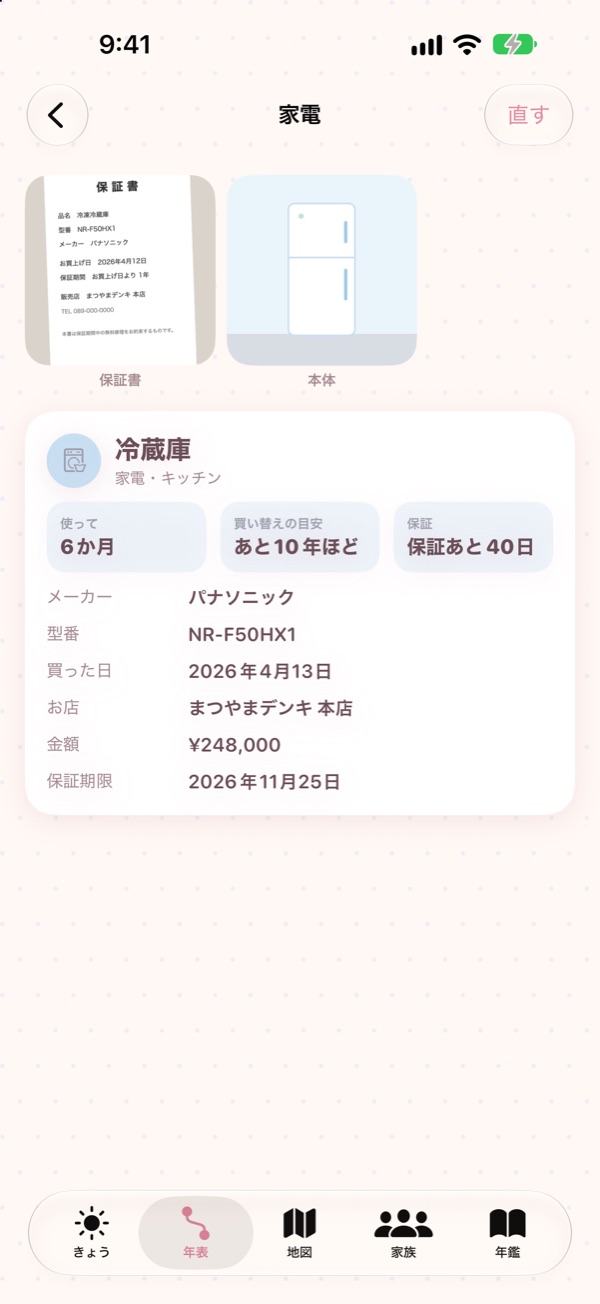
Keep furniture, appliances and cars in “Our things”. Photograph a warranty card or receipt and the purchase date, shop, price, model number, maker and warranty period are filled in. Text is read only on your iPhone.
A reminder a month before the warranty ends
See how many years you have used each item and a rough guide to when to replace it, by type or by room.
Car inspection and maintenance too
Enter the inspection, 12-month check, insurance renewal and tire change dates to get reminders ahead of time.
SCREENS
Screens
Timeline, map, today, artwork museum, yearbook and family pages. Screenshots show the Japanese interface with illustrated samples.
Scroll sideways to see more
HOW TO
Getting started
- Add your familyJust a name and whether they are a child, an adult, a grandparent or a pet. A birthday is optional.
- Record todayTap the big button on “Today” and choose photos — the date and place are filled in. Add a few words and who was there, then save.
- Add life events and thingsAdd events such as a house, a car or school entrance from “Timeline”, and furniture, appliances and cars from “Our things”. Just photograph the warranty card.
FAQ
Frequently asked questions
Where are photos stored?
Only inside the app on this iPhone. When you import from the Photos app, the original stays as it is and the app keeps its own copy. Nothing is sent to a server.
How is the place added?
When you choose a photo that contains a location, that place is filled in. Only when looking up the place name is the location sent to Apple's map service. You can also search the map and choose a place.
Can I move my data to a new iPhone?
Use “Export backup” in Settings to save your records and photos to one folder in the Files app, then choose “Restore from backup” on the new iPhone. Restoring from a full iPhone backup also works.
Where is the warranty card read?
Only on your iPhone (Apple's Vision). The results go into the input fields, so please check them before saving.
Are the growth charts and vaccination timing exact?
Growth curves use the Children and Families Agency's 2023 infant growth survey, and vaccination timing is a guide based on the Japan Institute for Health Security schedule (as of August 1, 2026). The app does not make medical judgments. Follow your municipality's guidance and your pediatrician's instructions.
Can my family see the same records?
In this version, records stay on one iPhone. You can send the yearbook PDF to your family.
PRIVACY
Privacy
Mainichi Kazoku does not collect any information about you. Your family's records, photos, artwork and household items are all stored only on this iPhone. The camera and photo library are used only to take or import photos for your records. Only when looking up a place name is a location sent to Apple's map service.
MORE APPS
More apps from palnet Lab.

Puku Rogu
Photograph and organize your sticker collection (iPhone)

Ato Ikura?
An allowance tracker that shows what's left at a glance (iPhone · Widget)

Mitsunobu
Create quotes, delivery notes and invoices (Mac · iPad)

Sanpo Rupu
Walking routes that bring you back home (iPhone · Apple Watch)

Wanko Sanpo
Log dog walks, pee and poop (iPhone · Apple Watch)

Pasha Kakeibo
A household budget you fill in by snapping receipts (iPhone)
CONTACT
Contact
app@palnetlab.com